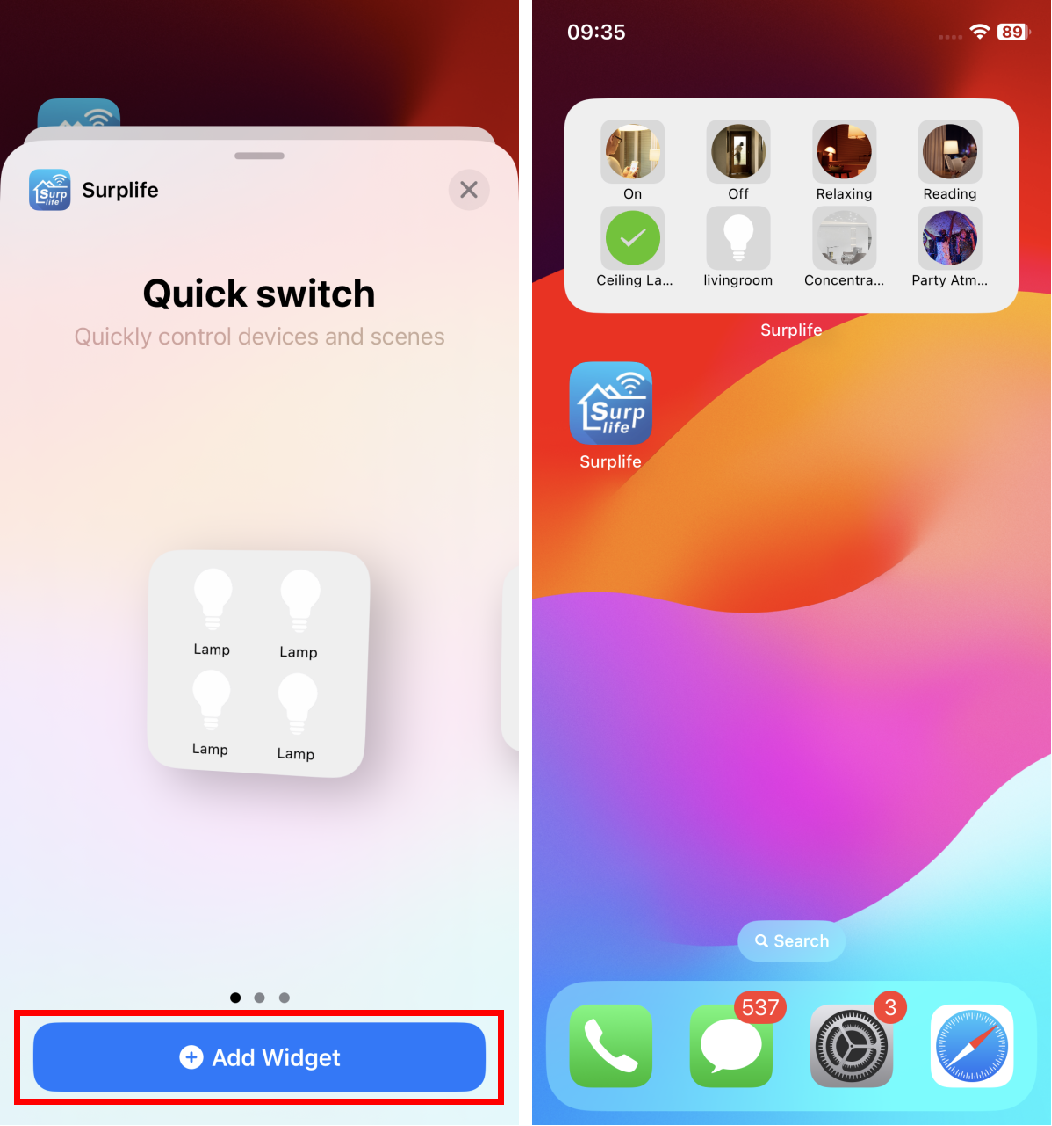
We can control devices and scenes through Widgets.
Follow the steps below to set up:
1. The Widget requires that the smart device must be cloud online to be controlled. We can check whether the smart device is cloud online.
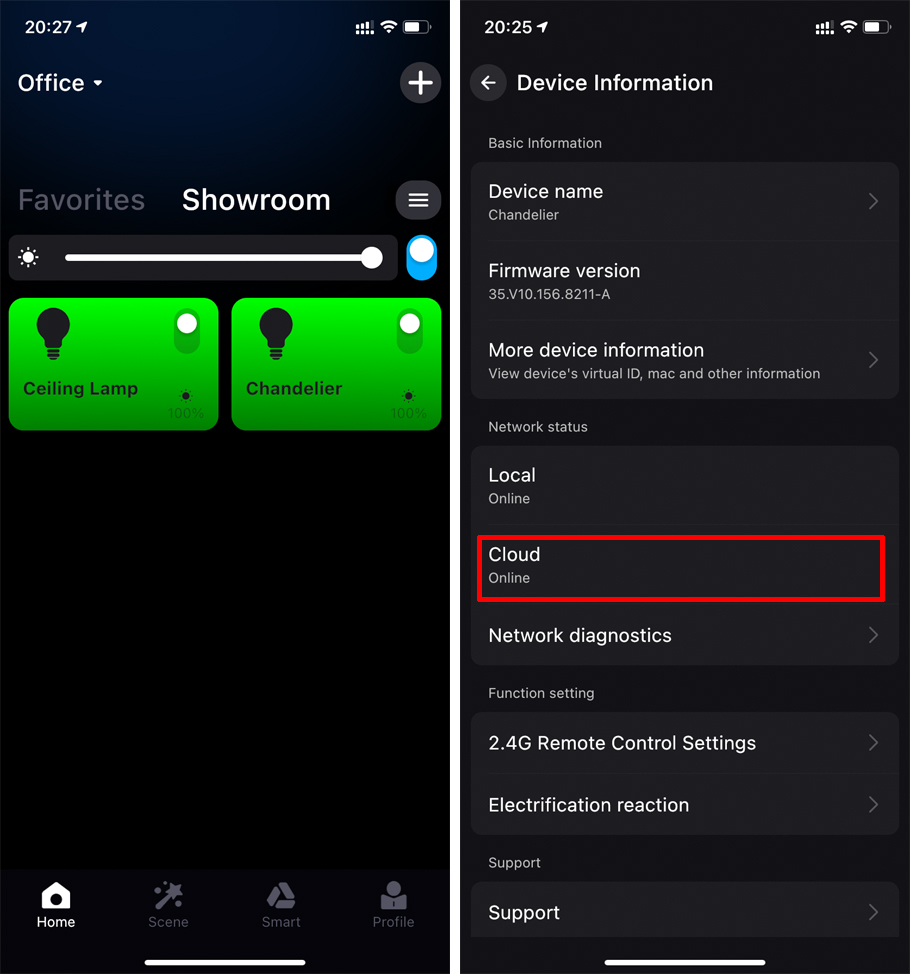
If the cloud offline, please refer to "Why is the remote network online, but the local network is offline?"
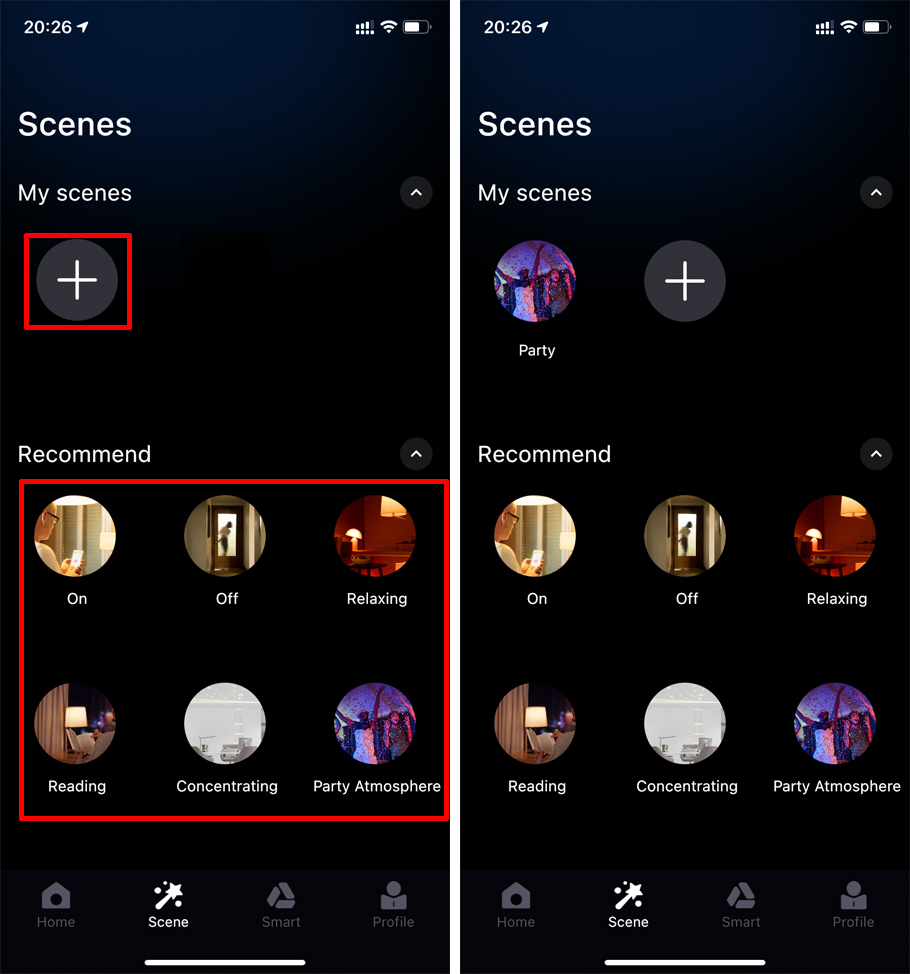
2. Enter the scene to set the scene for the device, you can create a custom scene and use the recommended scene of the App.
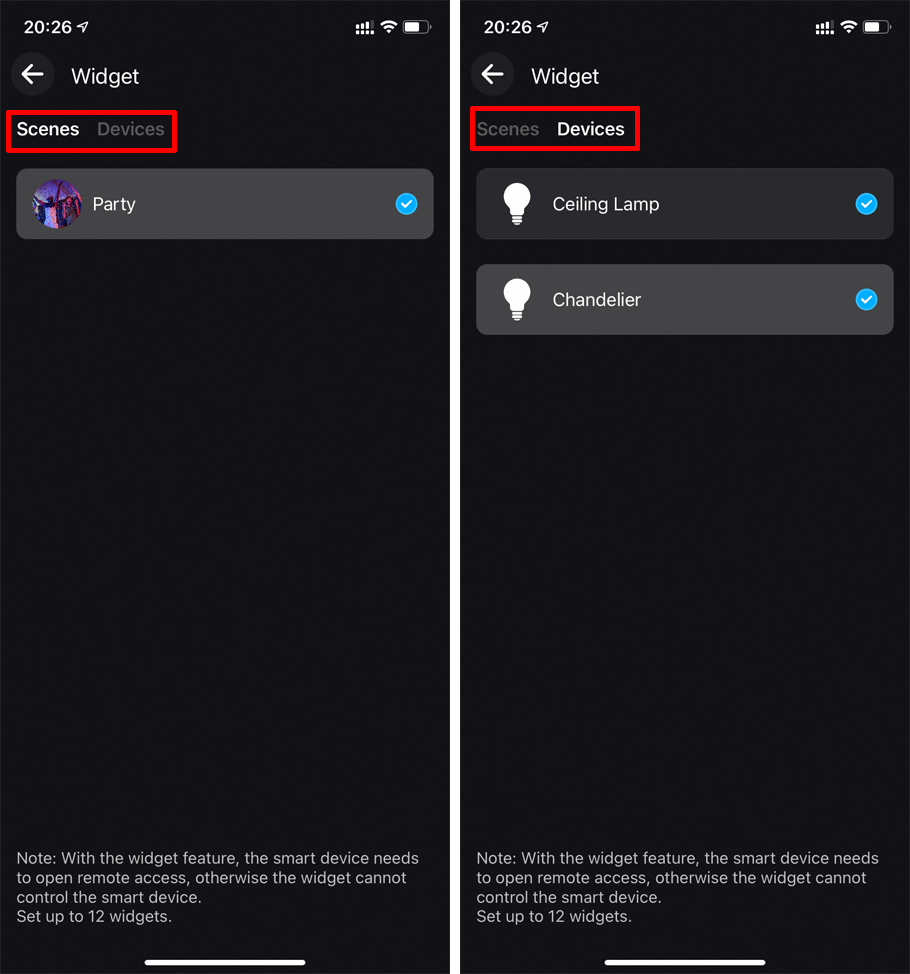
3. Enter the Widget to set.
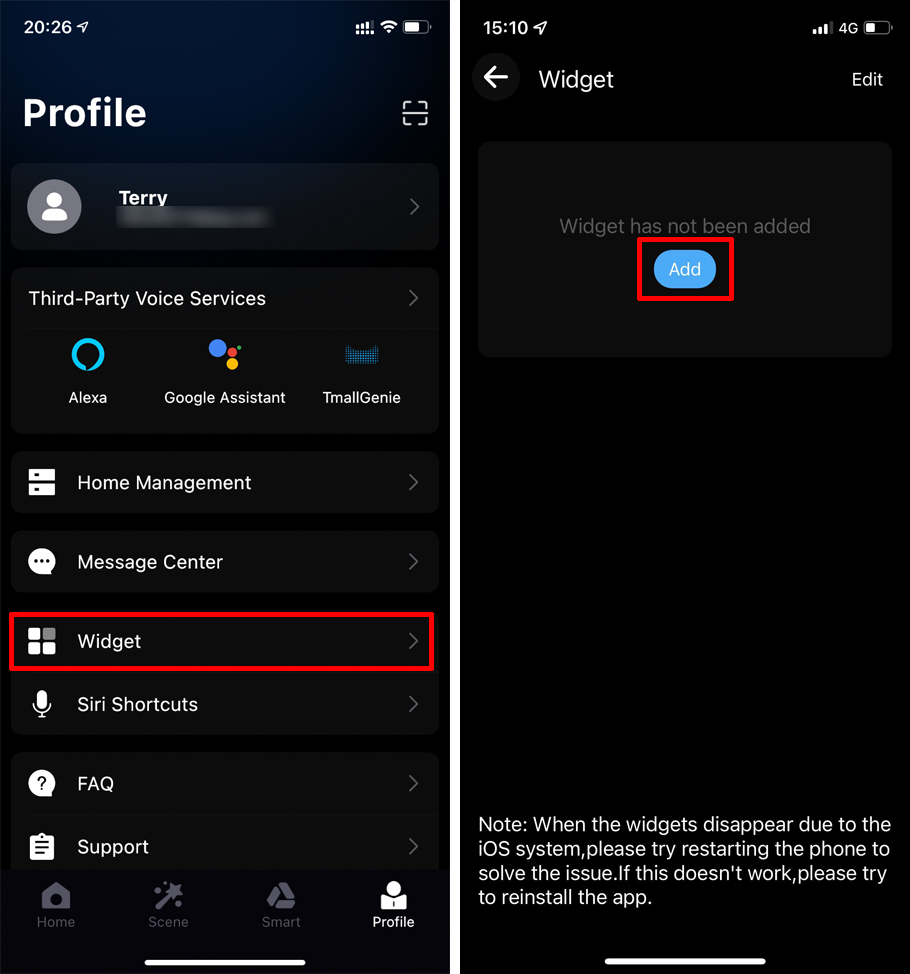
4. Add the device and the scene you just set up.
5. Return to the main page of the phone, long press the screen, click the "+" in the upper left corner to add a widget, and enter "Surplife" APP in the search box.
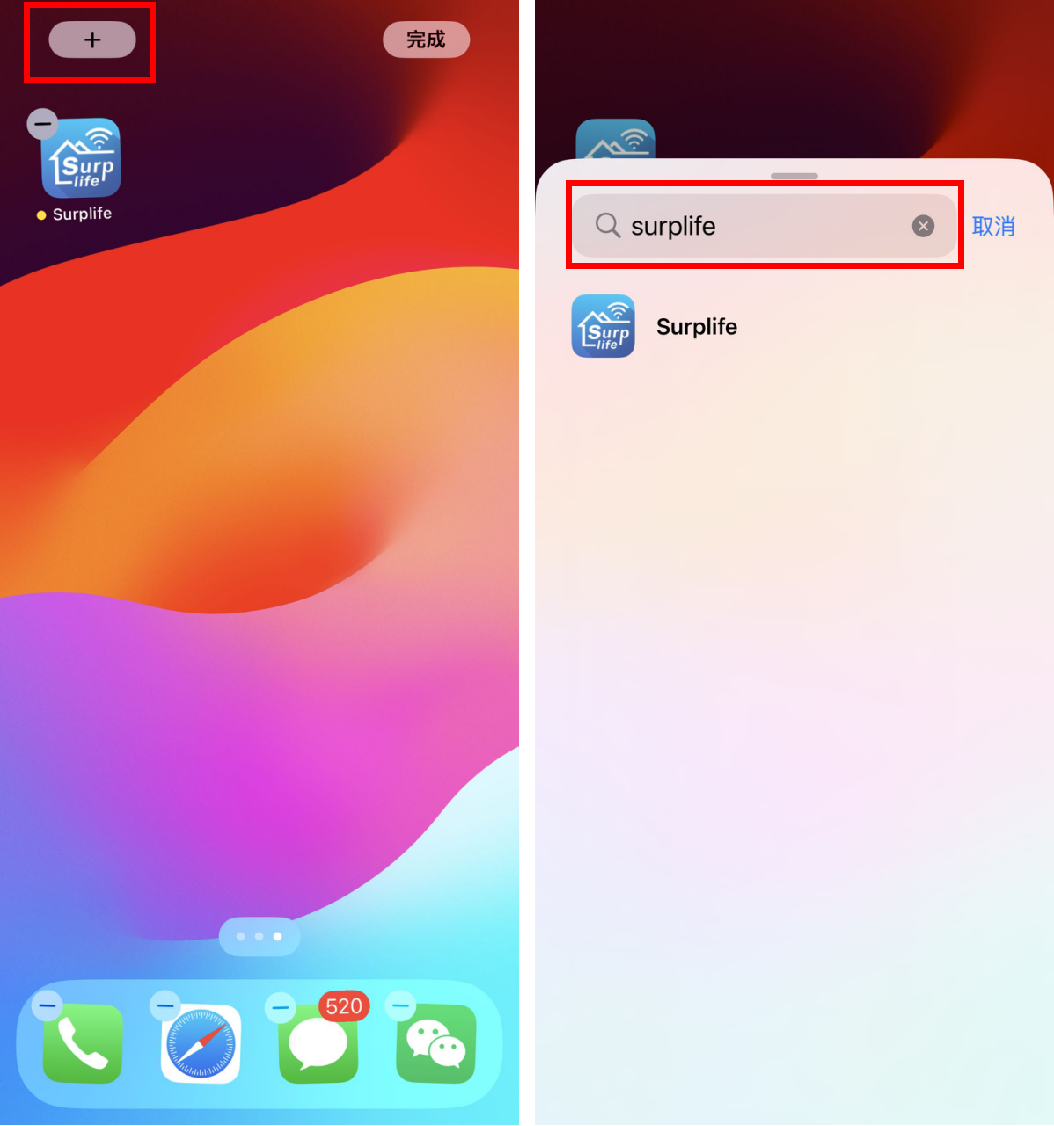
6. After adding widgets of appropriate size, the devices and scenes will be displayed on the main page.
At this time, click the corresponding icon to control it.