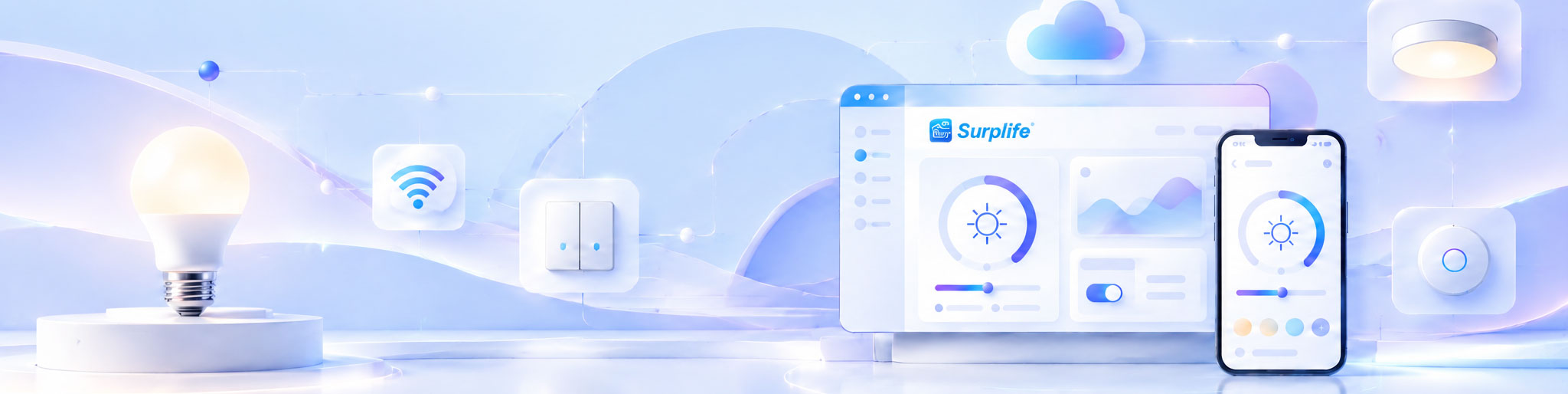
Remote lighting control allows users to operate connected lighting devices from a smartphone, computer, or centralized management platform without being physically present at the installation site. The system works through wireless communication, device controllers, and network services that transmit commands between users and lighting equipment. Depending on the architecture, users can adjust brightness, change colors, activate lighting scenes, manage schedules, and monitor device status from different locations. Its effectiveness depends on stable connectivity, compatible hardware, and reliable communication between the control application and lighting devices.
Remote operation involves several connected components working together. The application sends a command, the communication network transfers it, and the lighting controller executes the requested action.
For a cloud-connected lighting product, the process generally follows this sequence:
Mobile App → Internet Connection → Cloud Platform → Device Communication Module → Lighting Controller → LED Output
When a user changes the brightness through an application, the command is transmitted to the connected system. The platform identifies the target device and forwards the instruction through its supported communication method. The controller then adjusts the lighting output and may report its updated status to the application.
The process also works in reverse. Device information can be transmitted back to the platform, allowing users to check whether connected lights are online and whether their commands have been executed.
For systems using direct local wireless communication, some commands may travel between the phone and lighting device without passing through a cloud service.
Remote control is not limited to switching lights on and off. Modern connected lighting products can support multiple operating functions depending on their hardware, firmware, and application capabilities.
The most common functions include:
| Control Function | Remote Operation | Practical Application |
|---|---|---|
| Power Control | Switch lights on or off | Manage lighting without visiting the site |
| Brightness Adjustment | Increase or reduce light output | Adapt illumination to different activities |
| Color Management | Change colors and color temperature | Create customized lighting environments |
| Scene Selection | Activate preset lighting effects | Switch between predefined environments |
| Scheduling | Set automatic operating times | Coordinate daily lighting routines |
| Group Management | Control multiple devices together | Manage several lighting zones efficiently |
| Device Monitoring | Check connection and operating status | Identify devices requiring attention |
Some systems also support custom lighting effects, music synchronization, and voice control through compatible platforms.
For manufacturers, the available functions should be defined during product development. Not every controller supports every feature, and the mobile application must be matched to the actual hardware capabilities.
Not necessarily. The communication method depends on how the product is designed and whether remote access outside the local installation is required.
Three common configurations serve different purposes.
Wi-Fi-connected lighting devices communicate through a wireless router. When connected to an internet-based management platform, users can access supported functions from different locations.
This configuration is suitable for smart home products, Decorative Lighting, and installations requiring remote access without a dedicated communication gateway.
Bluetooth allows a smartphone to communicate directly with nearby lighting devices. It is useful for local configuration and control, particularly when internet access is unavailable or unnecessary.
However, conventional direct Bluetooth control does not automatically provide access from distant locations. Additional gateway or network infrastructure may be required.
A gateway connects lighting devices using one communication technology and links them to a wider network or management platform.
This architecture can be useful when a project includes multiple devices or communication protocols that need to work together.
The following comparison highlights the main differences:
| Communication Method | Local Control | Remote Internet Access | Gateway Requirement |
|---|---|---|---|
| Wi-Fi | Yes | Supported with suitable network and platform | Usually not required |
| Bluetooth | Yes | Requires an additional connection architecture | Depends on the system |
| Gateway-Based | Yes | Supported when connected to an appropriate platform | Required |
The choice should consider installation scale, network availability, device power consumption, and the expected control experience.
Managing one connected light is relatively straightforward. Managing dozens or hundreds of devices requires a more organized system architecture.
A remote lighting management system typically uses device grouping, location identification, and centralized configuration to simplify operation.
For example, a hotel may organize its lighting equipment according to buildings, floors, guest rooms, and public areas. An authorized administrator can manage selected groups without accessing every device individually.
This structure can also support different permission levels. A central administrator may manage the entire installation, while local employees can only control assigned areas.
For product brands offering multiple lighting categories, device grouping can provide a consistent management experience across compatible products.
However, the platform must support the required number of devices, communication architecture, and user accounts. These capacities should be verified before large-scale deployment.
Internet interruptions are an important consideration when evaluating remote control systems.
If a cloud-dependent lighting product loses its internet connection, remote commands from outside the local network may become unavailable. However, local lighting functions may continue operating if the device architecture supports offline control.
For example, a lighting product may retain its previous settings and continue responding to a physical switch or local controller even when its cloud connection is interrupted.
A reliable system should define how devices behave under different connection conditions.
Three situations deserve particular attention:
Temporary Network Interruption: Devices should recover communication when the network becomes available again.
Router Replacement: The system should provide a clear method for reconnecting devices to a new wireless network.
Cloud Service Interruption: Essential local functions should remain available where the product design permits.
These behaviors should be tested before production approval because they directly affect the reliability of the finished product.
Remote access creates additional security responsibilities because lighting devices communicate through networks and may be connected to user accounts or cloud platforms.
Security should be considered throughout product development rather than added after the application is completed.
Important measures include:
User Authentication: Require appropriate account verification before allowing access to connected devices.
Communication Protection: Use suitable encryption and secure communication methods.
Access Permissions: Limit control rights according to user roles and responsibilities.
Firmware Updates: Provide a controlled mechanism for addressing software vulnerabilities.
Device Management: Establish procedures for removing devices and accounts that are no longer authorized.
For commercial installations, administrator access and user permissions deserve particular attention. Unauthorized access should not allow users to modify system-wide configurations or control devices outside their assigned areas.
Adding remote operation to a lighting product requires coordination between electronic hardware, communication modules, firmware, applications, and cloud infrastructure.
The development process usually starts by defining which functions must be available locally and which require internet access. This distinction determines the communication architecture and the hardware specifications.
The controller must support the required commands, while firmware handles communication, device status, and lighting output. The application then provides the interface through which users manage the product.
Testing should cover the complete communication process, including device pairing, command execution, connection recovery, multi-device operation, and software compatibility.
Surplife provides an integrated platform covering lighting products, cloud services, and control applications. Its platform supports iOS and Android applications with Wi-Fi, Bluetooth, and 2.4G wireless control options, alongside customized application solutions for brand partners. <Cite refs={["turn278708view0"]}/>
When evaluating a remote lighting control supplier, buyers should clarify whether the proposed solution includes controller hardware, firmware, application customization, cloud services, technical documentation, and ongoing software maintenance.
The most suitable system is not necessarily the one offering the largest number of control functions. It is the one that matches the product's intended application and can maintain reliable operation after installation.
Before confirming a development or purchasing arrangement, verify these five areas:
Communication Compatibility: Confirm supported wireless technologies and network requirements.
Control Functions: Check whether the application supports all required lighting operations.
Remote Accessibility: Establish whether control is available outside the local network.
System Scalability: Confirm support for the expected number of devices and users.
Long-Term Maintenance: Clarify firmware updates, cloud service continuity, and technical support responsibilities.
A working demonstration should include actual lighting hardware rather than an application interface alone. This helps verify that commands are transmitted correctly and that the physical devices respond as expected.
Remote lighting control becomes valuable when connectivity translates into simpler operation, better management, and more flexible lighting experiences. By coordinating hardware, software, and communication architecture from the beginning, manufacturers can develop connected products that offer dependable control both locally and across distant locations.