Managing several lighting products separately can become complicated as connected spaces continue to expand. A modern multi lighting app control solution allows users to operate different lighting devices through a single application, reducing the need for multiple controllers and creating a more organized lighting experience. From adjusting brightness to creating automated scenes, one app can simplify daily lighting management.
With the development of smart home and connected commercial environments, centralized control has become an important requirement for lighting systems. A well-designed application allows different devices to communicate within the same ecosystem, helping users control multiple lights with one app while maintaining flexibility for different spaces and applications.
Traditional lighting systems usually require independent switches or controllers for each lighting area. When more devices are added, operation becomes less efficient because users need to remember different controls and settings.
A unified application changes this management method by connecting multiple lighting products into one digital platform. Users can access different devices from a smartphone or tablet and manage lighting functions according to their needs.
Common functions available through one lighting application include:
Turning multiple lights on or off simultaneously
Adjusting brightness levels
Changing color temperatures
Creating lighting scenes
Setting automatic schedules
Grouping devices by room or application area
This approach improves convenience while making lighting systems easier to maintain and expand.
A Smart Lighting application works as a central communication interface between users and connected devices. When a command is sent through the app, the system transfers the instruction through the connected network and updates the selected lighting products.
The basic operation process usually includes:
Device Connection
Smart lights, LED strips, controllers or switches are connected through wireless communication technologies. Each product is registered within the application system.
Device Organization
Connected products can be grouped based on rooms, functions or usage scenarios. For example, all lighting devices in a living area can be managed together.
Command Management
Users can adjust settings manually or create automated schedules according to daily routines.
System Feedback
The application can display device status, allowing users to understand whether lights are operating correctly.
This structure creates a smoother experience compared with controlling each lighting product independently.
A centralized smart lighting control system provides more than simple remote operation. It creates a structured way to manage different lighting zones and improve overall efficiency.
| Management Requirement | How One App Helps |
|---|---|
| Multiple Lighting Areas | Organizes devices into different groups |
| Daily Lighting Adjustment | Saves preferred brightness and scene settings |
| Energy Optimization | Allows scheduled operation and automatic control |
| System Expansion | Makes adding new devices easier |
| User Convenience | Provides one interface for different products |
For spaces with many lighting points, centralized management reduces operational complexity. Users do not need to operate different switches or remember separate control methods.
In hospitality, residential developments and commercial environments, unified lighting management also helps maintain consistent user experiences across different areas.
An IoT lighting management system connects lighting devices through intelligent networks, allowing them to work together instead of functioning as isolated products.
The system can support different automation scenarios based on time, activity and environmental requirements.
Examples include:
Lighting can follow predefined schedules, such as gradually increasing brightness in the morning or reducing illumination during inactive periods.
Different areas can have independent lighting settings. Users can manage bedrooms, offices, meeting spaces or outdoor areas separately while keeping everything inside one application.
Multiple lighting devices can work together to create specific environments. A relaxing scene may combine warm lighting with reduced brightness, while a working scene may require stronger illumination.
Connected applications allow users to manage lighting even when they are away from the location, improving convenience and operational flexibility.
A complete smart lighting ecosystem may include various connected products. The ability to manage different devices together depends on compatibility, communication methods and software design.
Typical devices include:
Smart ceiling lights
Decorative Lighting products
LED strip lights
Portable lamps
Smart switches
Lighting controllers
Combining different products through one platform creates more possibilities for customized lighting solutions. A single application can support different lighting functions across multiple areas.
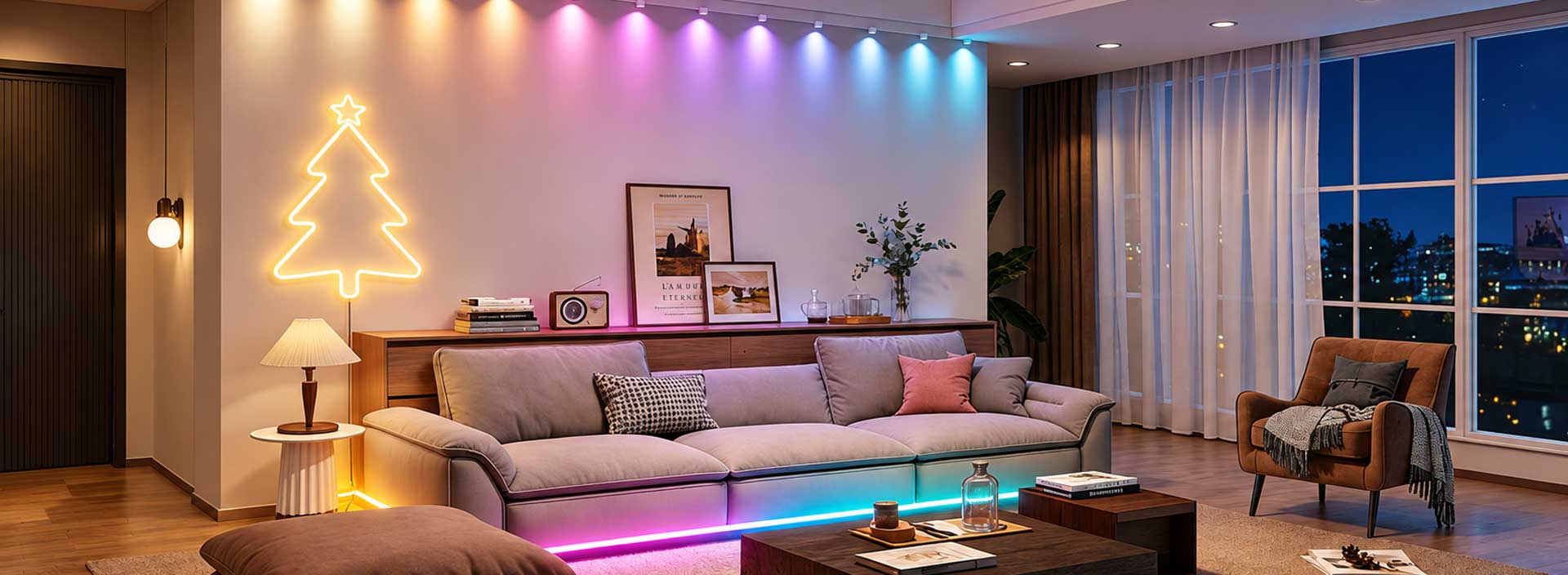
For example, a residential space may use one app to manage ambient lighting, functional lighting and decorative lighting. A commercial environment may use different groups for reception areas, working zones and display spaces.
The application experience directly affects how users interact with connected lighting systems. A reliable platform should provide simple operation, stable connections and flexible management options.
Important considerations include:
The pairing process should be simple and efficient. Complicated installation procedures can affect the overall user experience.
The system should maintain reliable communication between the application and connected lighting products, especially when multiple devices are operating together.
Users should be able to organize devices according to different spaces and usage requirements.
Lighting systems often expand over time. A flexible application should support additional devices without requiring major changes.
Connected lighting products require both reliable hardware and practical software functions. Surplife develops lighting solutions designed to provide convenient control experiences through intelligent applications and connected technology.
A well-structured lighting app helps users simplify operation, improve automation and create personalized lighting environments. As more spaces adopt connected devices, efficient app-based management will continue to become an important part of modern lighting systems.
The future of lighting control is moving toward greater automation and integration. Applications will continue to become more intelligent by supporting more connected devices, advanced scheduling and smarter interaction methods.
Managing multiple lighting products through one application is no longer only about convenience. It represents a more efficient way to organize lighting environments, improve energy usage and create adaptable spaces.
With the continuous development of connected technology, centralized lighting applications will play an increasingly important role in residential and commercial lighting solutions.