Please follow the steps below:
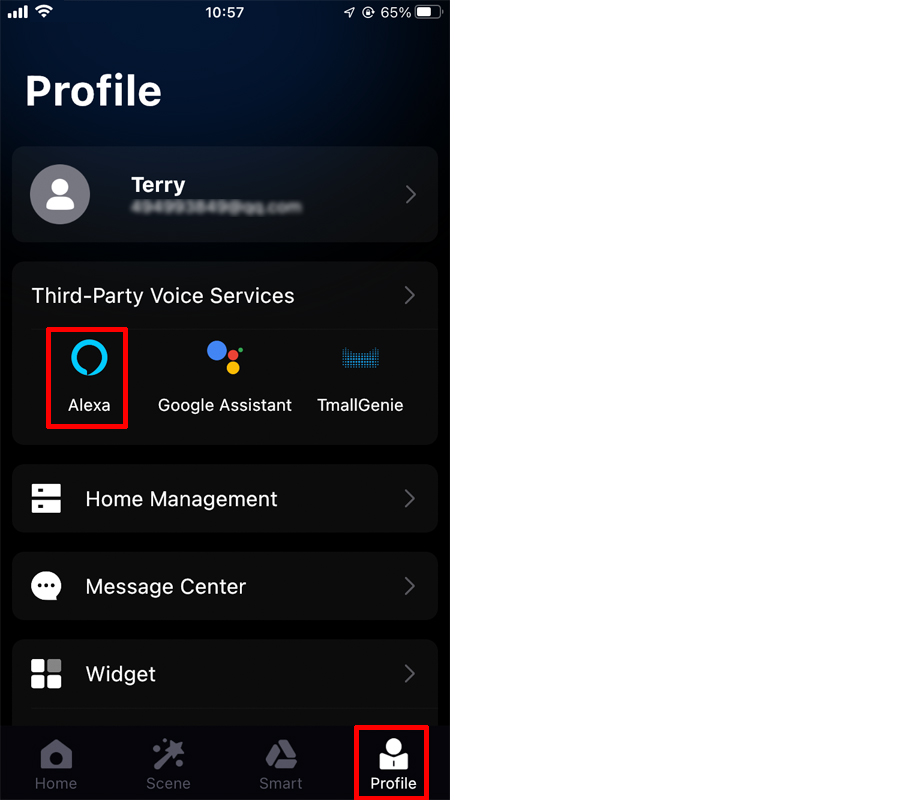
1. Open the APP, enter the "Profile" page, and click "Alexa" of "Third-Party Voice Services";
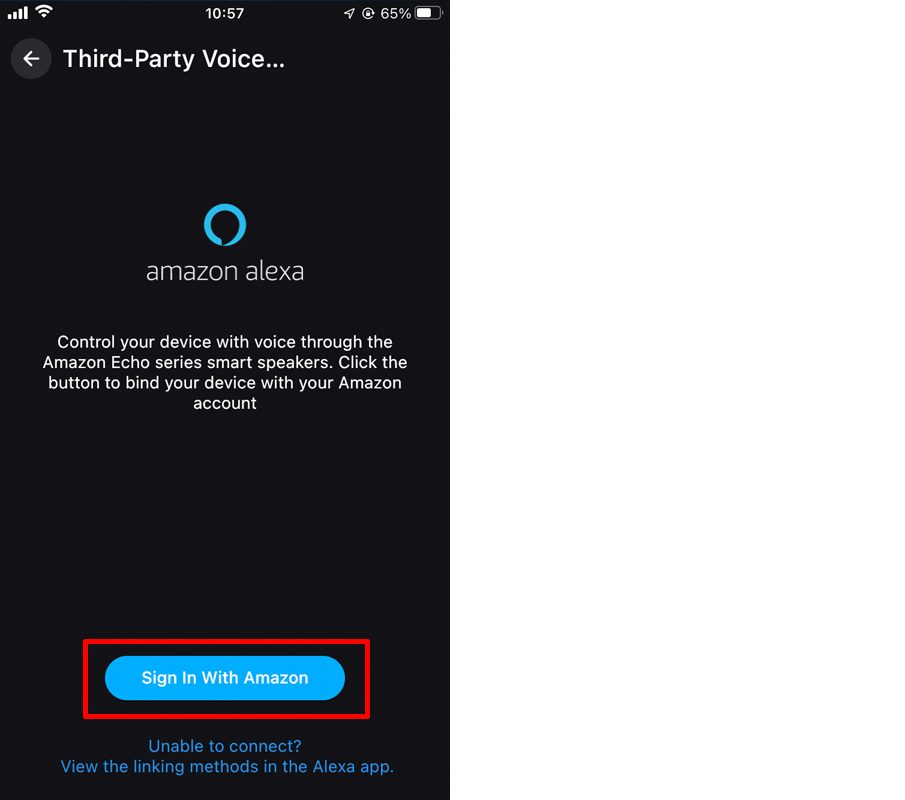
2. It will automatically jump to the Alexa quick binding page, select "Sign In With Amazon";
3. Click "LINK" to connect Surplife to Alexa, and wait for the binding to succeed;
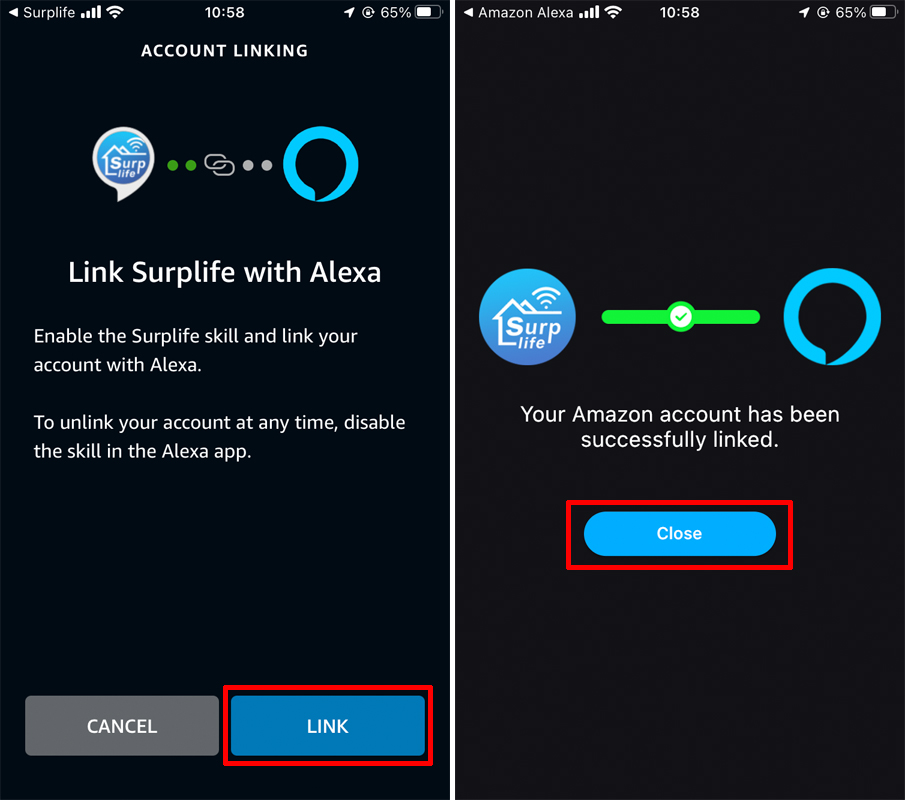
4. After the binding is successful, you can directly control the device through Third-Party.
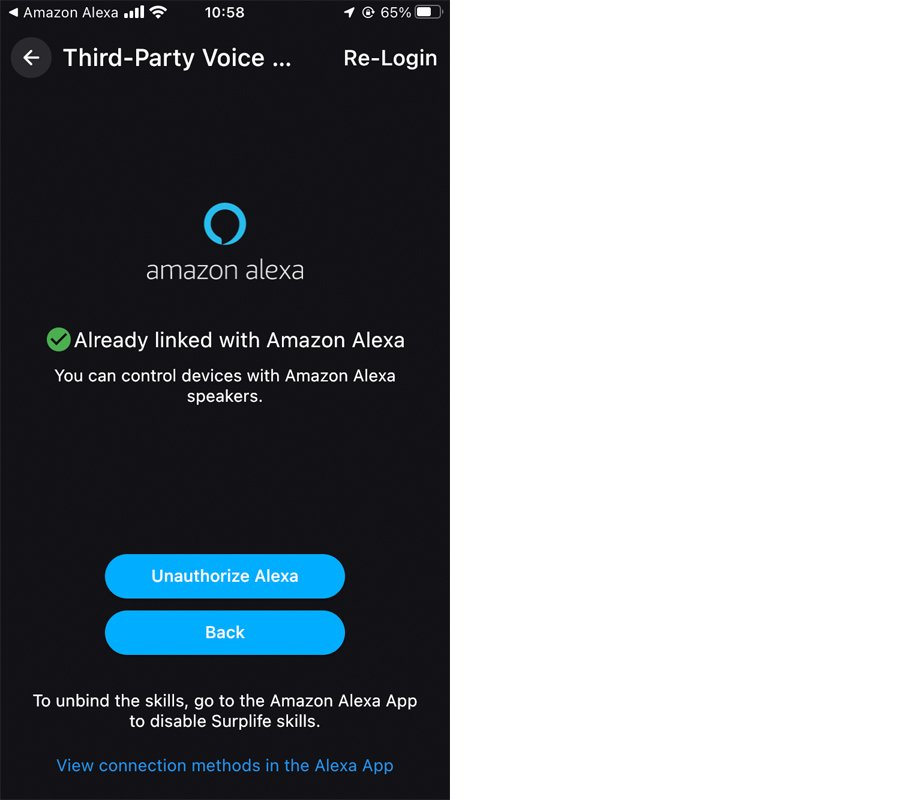
After completing the above operations, you can use Amazon Alexa for voice control.
Supported voice commands:
These are some of the currently supported Alexa voice commands for the smart light.
Alexa, set [light name] to [0-100]%
Alexa, turn on/off [light name]
Alexa, dim/brighten [light name]
Alexa, increase/decrease [light name]
Alexa, set the [light name] to red
Alexa, change [light name] to blue
For RGBW Light (Change to Warm White)
Alexa, set the [light name] to warm white
For CCT or RGBCW Light (Change to Color temperature)
Alexa, make the [light name] warm white
Alexa, change the [light name] to the cool white
Alexa, set the [light name] to daylight
Changing colors on your lights
Color Options for Alexa control of your smart device:
Blue, Crimson, Cyan, Fuchsia, Gold, Green, Lavender, Lime, Magenta, Orange, Pink, Purple, Red, Salmon, Sky Blue, Teal, Turquoise, Violet, Yellow
For Scenes
You can activate scenes by following voice commands:
Alexa, start {scene name}
Alexa, turn on {scene name}