Please add according to the following steps:
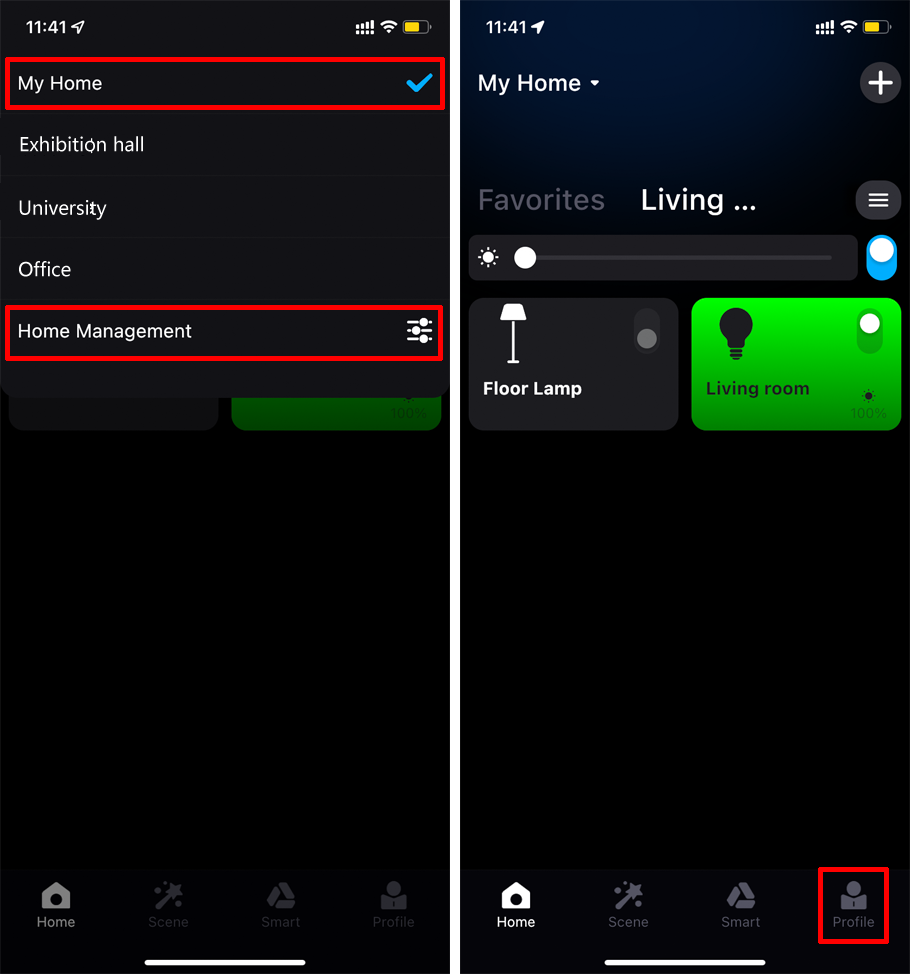
1. Click "My Home" at the top left or "Profile" at the bottom right of the app home page to enter Home Management";
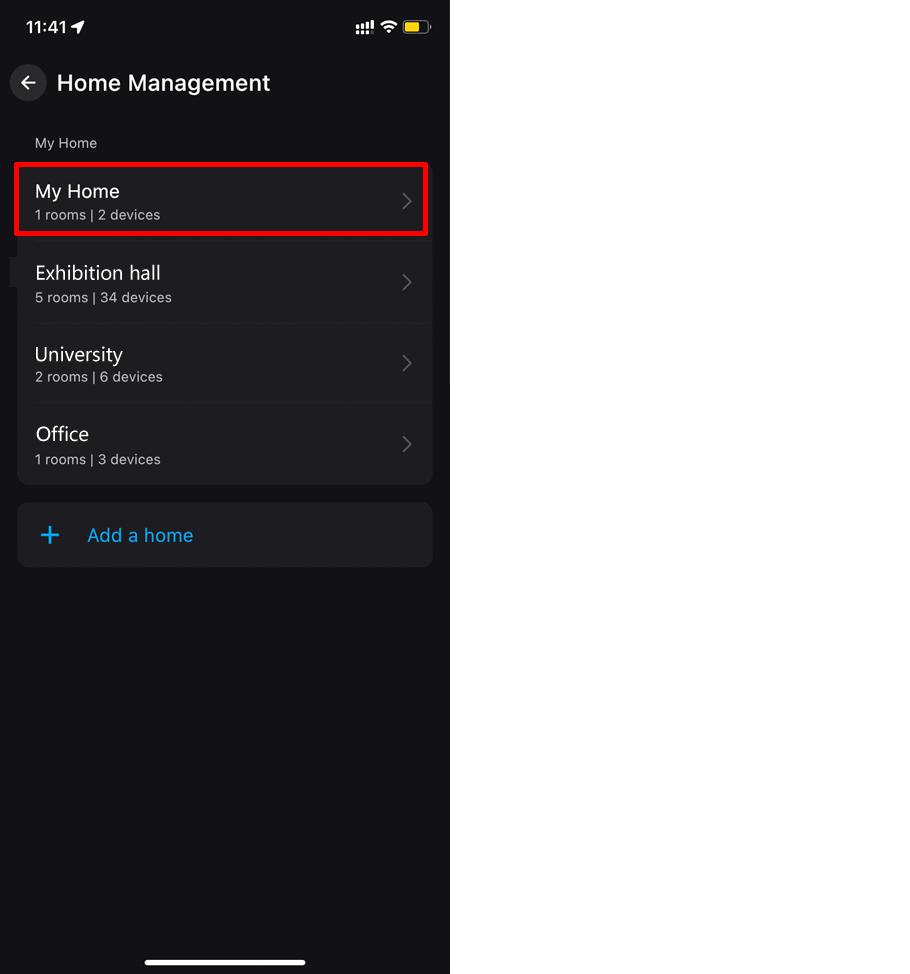
2. Enter "Home Management" and click on the Home Location;
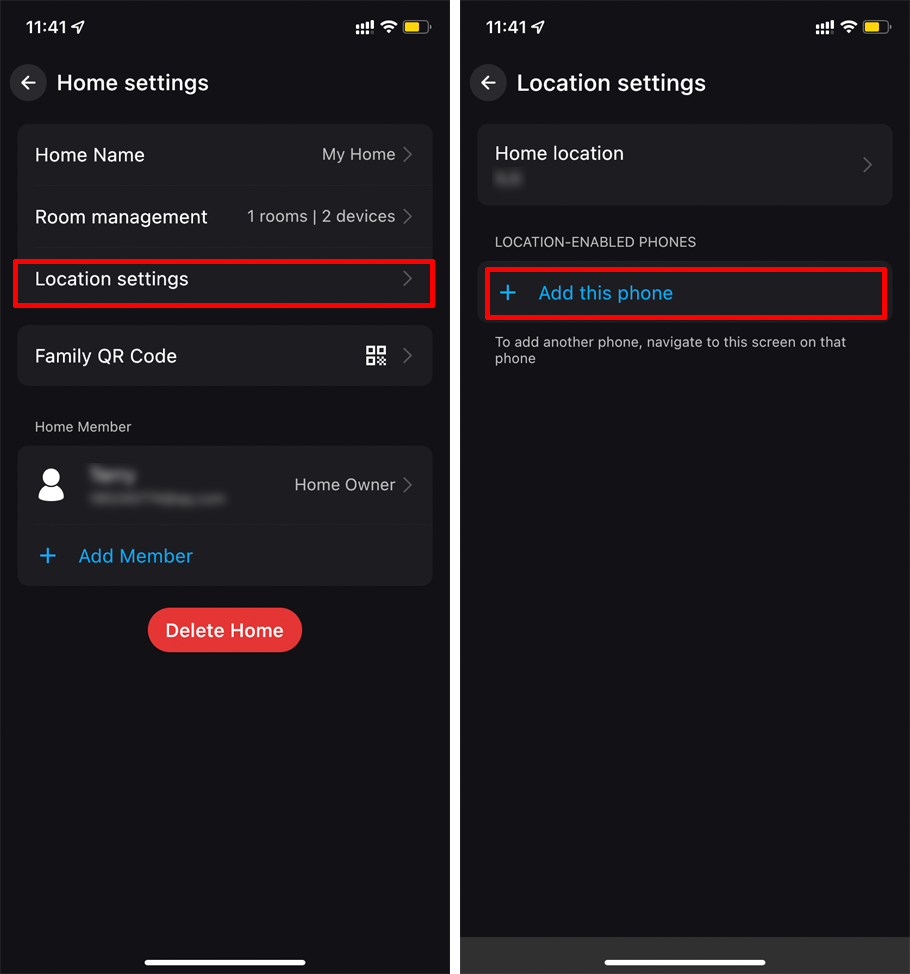
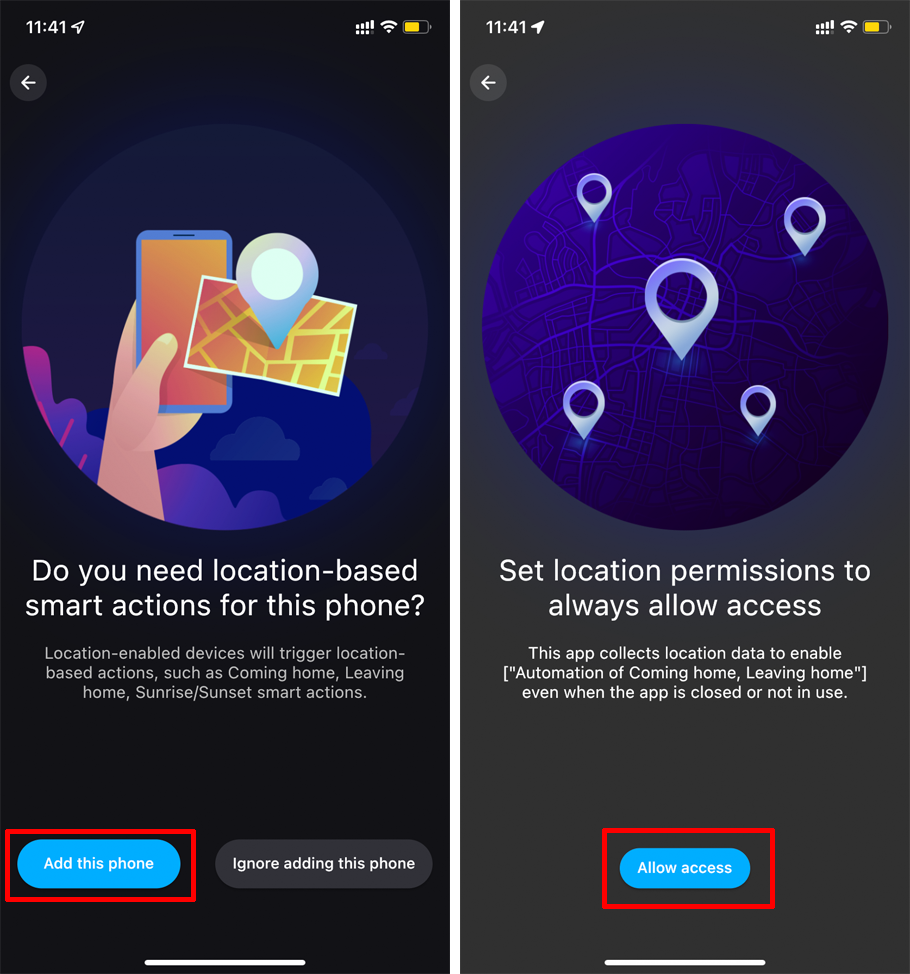
3. Enter "Location Settings" and click "+Add this phone";
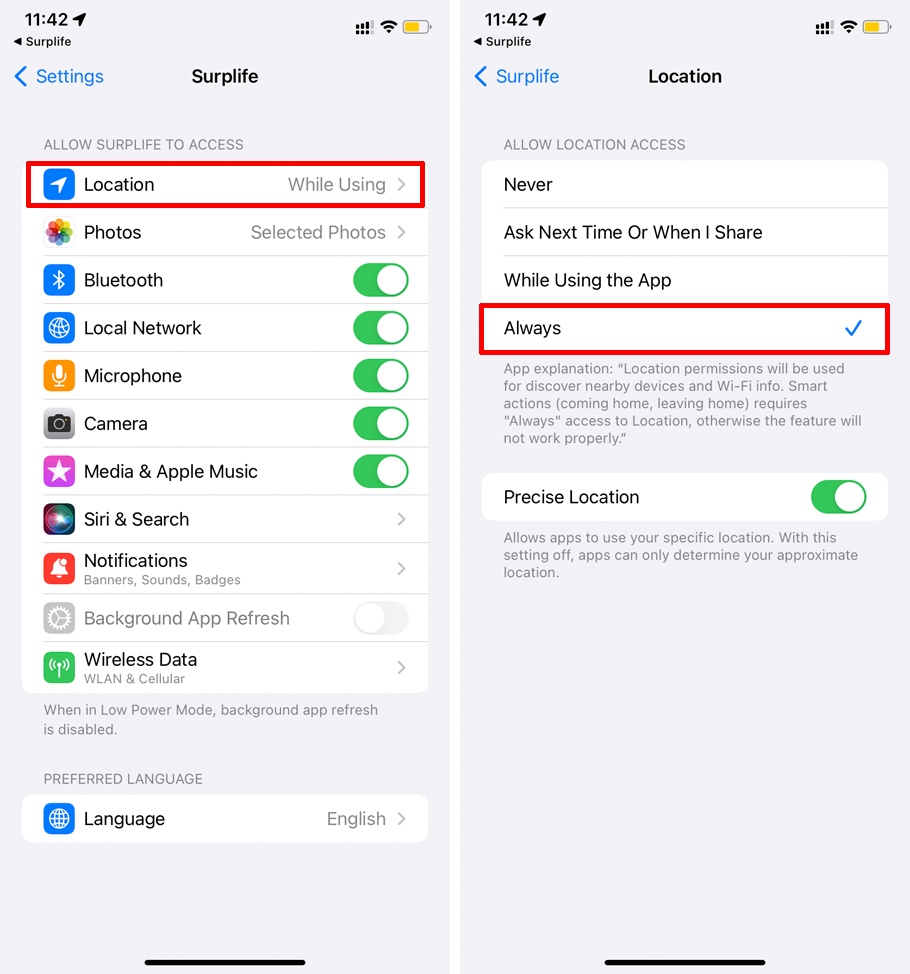
4. Enter the confirmation page of "Add this phone", click "Add this phone" ->"Allow access" ->select the location permission as "Always" according to the prompt.
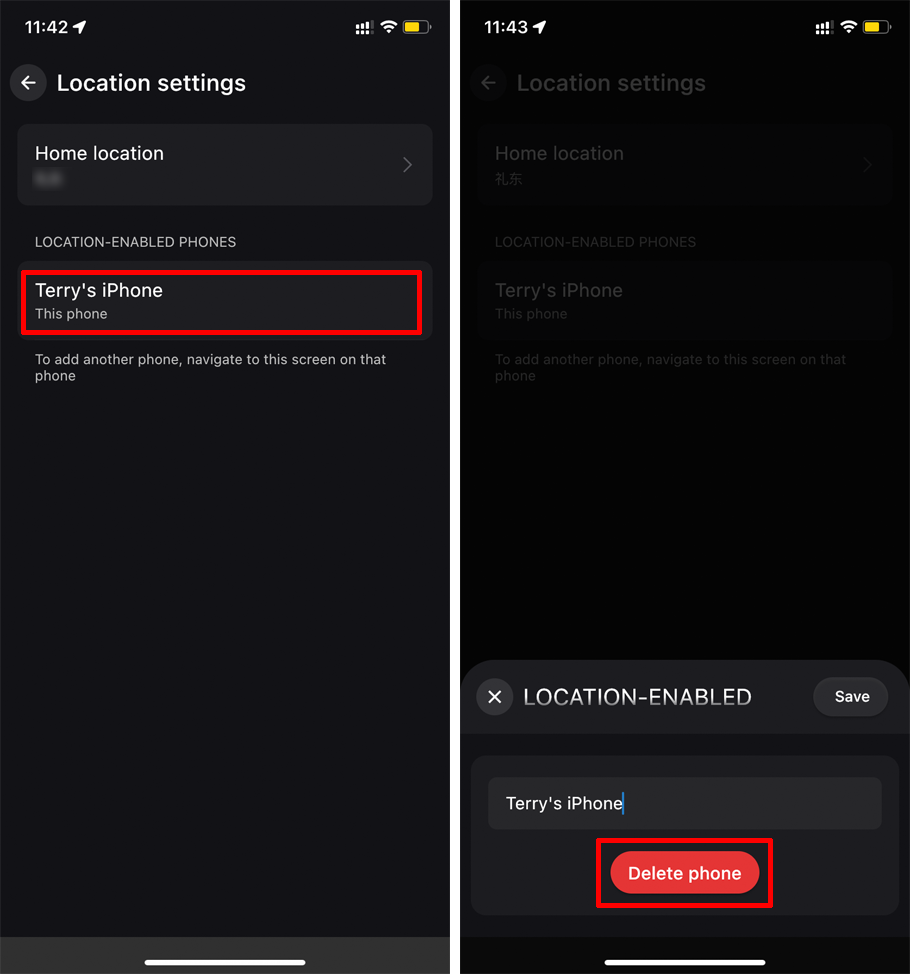
Please delete according to the following steps:
1. Click "My Home" at the top left or "Profile" at the bottom right of the app home page to enter Home Management";
2. Enter "Home Management" and click the Home to be deleted;
3. Enter "Location Settings", click "This phone" ->"Delete phone".