

Please try to perform network diagnosis to solve the problem, refer to the following methods:
Operate Step:
Long press the device icon on the App homepage -> "Device Information" -> Network Diagnosis -> Operate according to the instructions
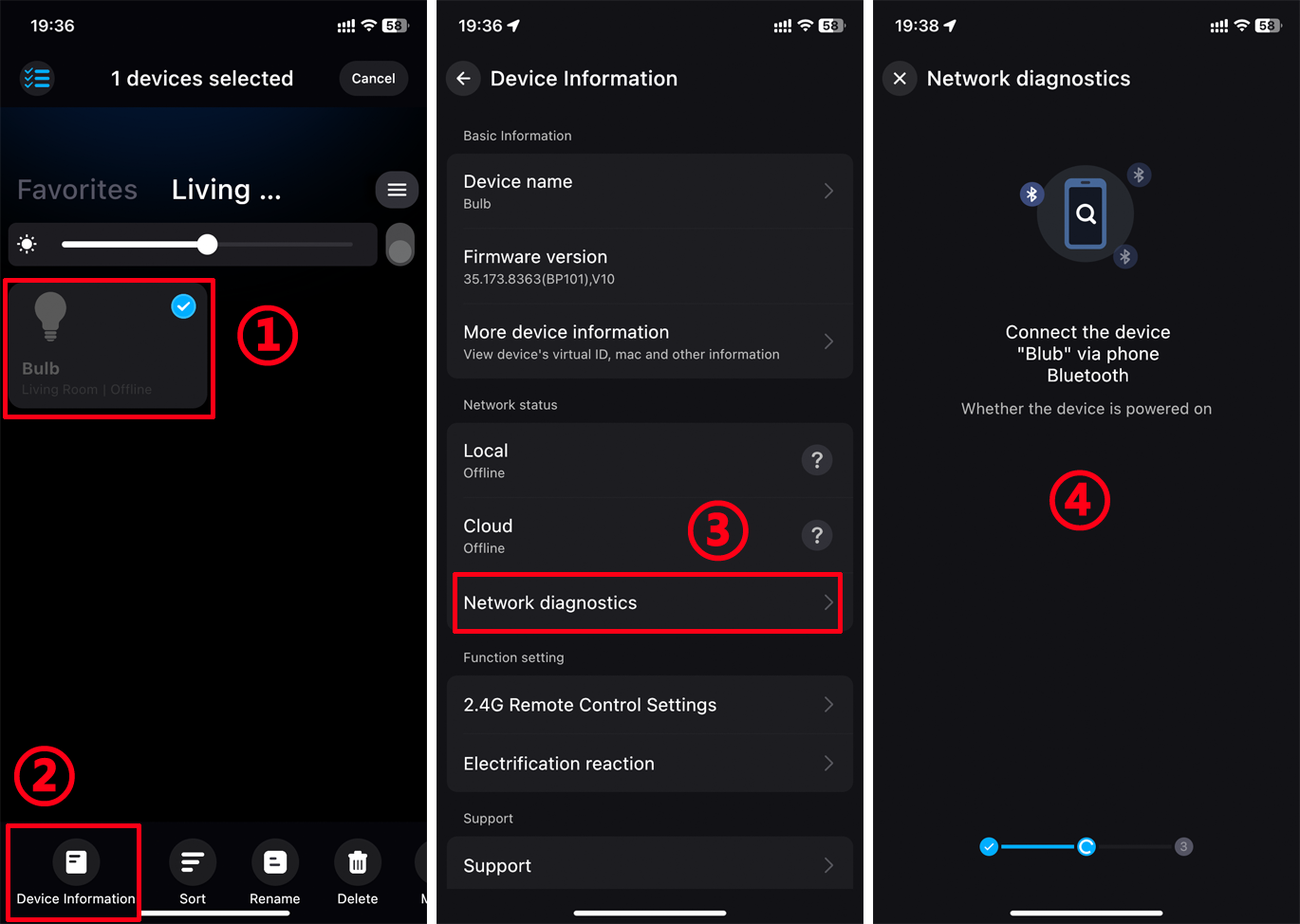
If you still can't solve it through network diagnosis,please try the following methods for troubleshooting:
1. Make sure the device is powered on normally.
Make sure the power switch is on and the lamp or power Indicator is on.
Note: If you use a dimmer, you need to adjust the gear to the highest level to ensure that the lamps get the maximum voltage and power.
2. Make sure the router network connection is smooth.
Check that your router can access the internet and that other clients on the network are working normally.
3. Make sure the device is as close to the router as possible.
Please check whether there is a wall between the smart device and the router, and whether the distance is too far.
For Smart Bulb, please check if your bulb is installed in metal light fixture? These may reduce the wifi signal, then cause the “offline” problem.
4. Restart the device.
Restart the device and wait about 1 minute to enter the device list and pull down to refresh to check whether the device is back online.
5. Restart the router
Check if there are too many Wi-Fi connections on the router, try restarting the router, and wait 2-3 minutes to see if the device is connected again.
6. Reset the device
If all of the above are ruled out and the device is still offline, it is recommended that you factory reset the device and then reconnect the device to your Wi-Fi network.
7. Contact us
If none of the above can solve your problem, please click "Profile" and contact customer service through the "Support" function.
