

Please follow the steps below:
1. Keep the device powered on, make sure the device is in factory mode, and put the phone, device and router close to each other.
2. Click the "+" button on the top right of the Surplife App homepage -> "?".
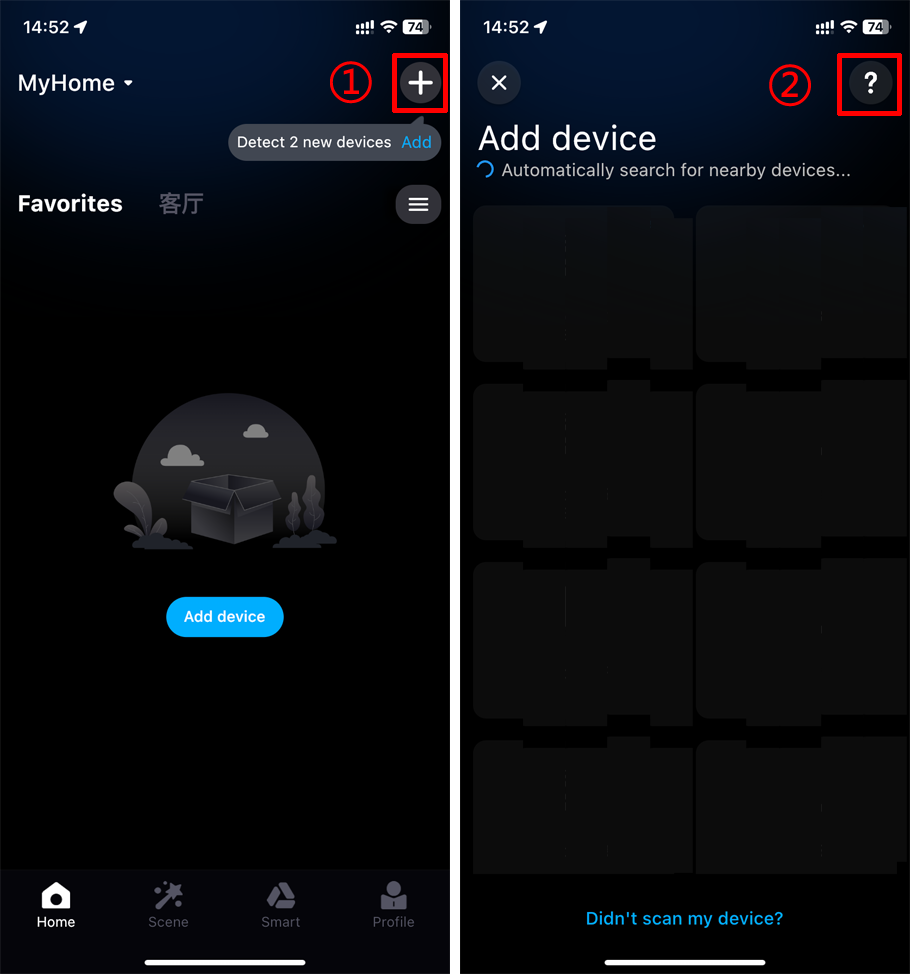
3. Click "Try hotspot distribution" -> "Go to set up WiFi".
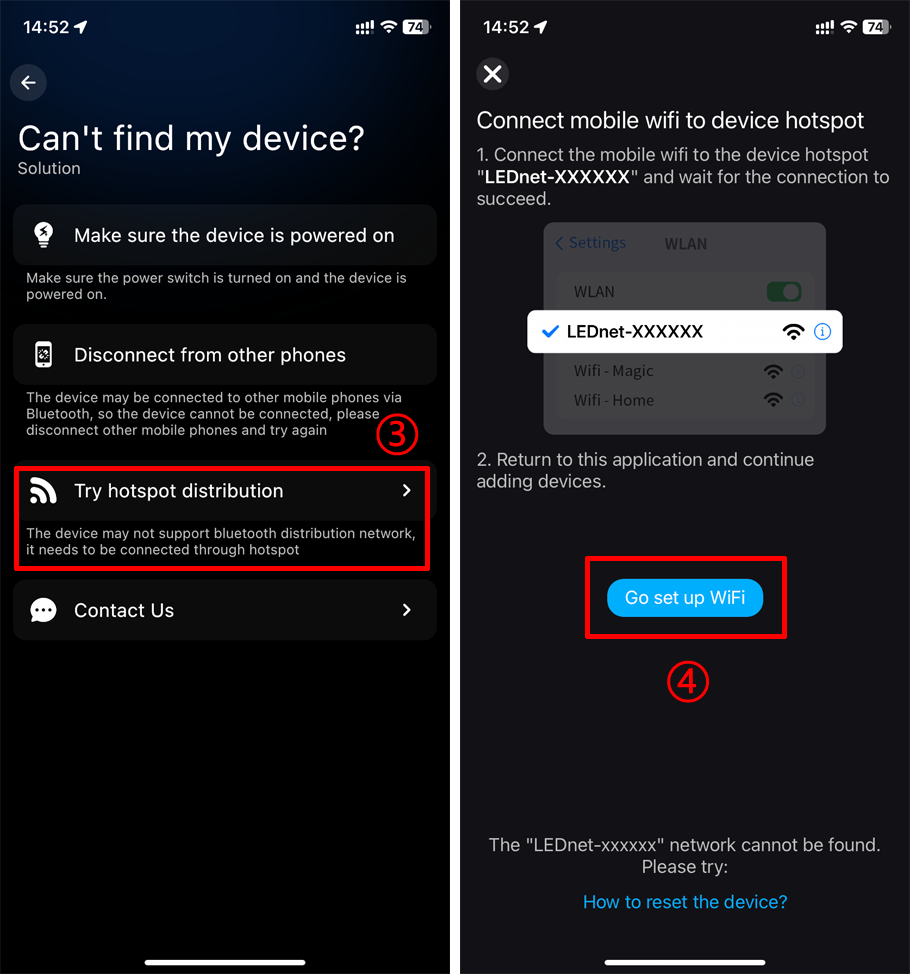
4. Select the device hotspot signal "LEDnetxxxx" -> return to Surplife App -> select your WiFi network to connect.
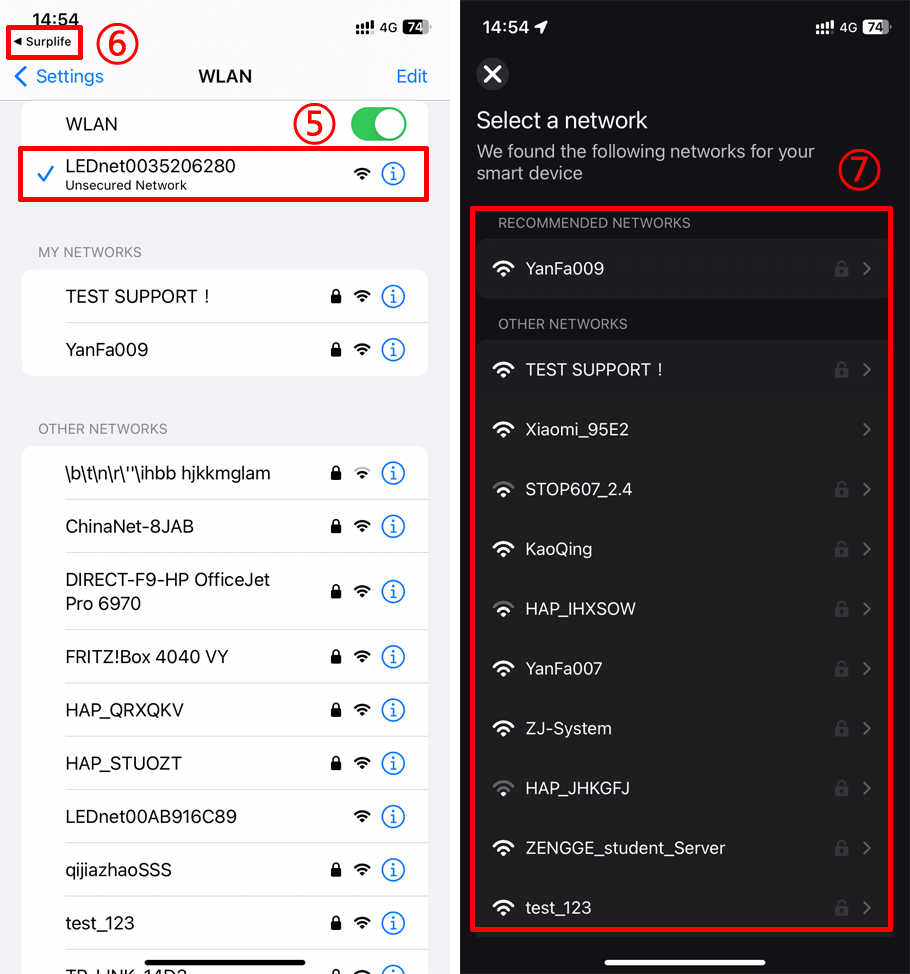
If the hotspot signal "LEDnetxxxx" of the device is not found, the device may not have been restored to factory mode, please refer to how to reset the device.
How to reset the Wi-Fi Smart Floor Light?
How to reset the Wi-Fi strip light controller?
How to reset the Wi-Fi Smart Lighting?
