Please follow the steps below:
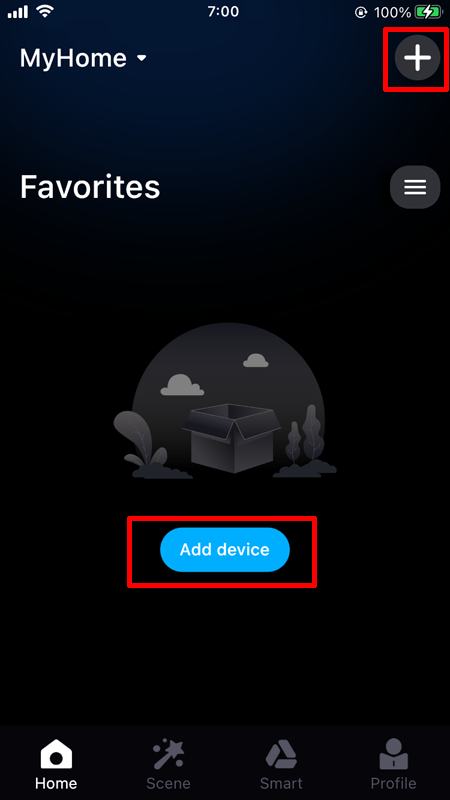
1. Open the APP, enter the main page of the APP, click "Add Device" in the middle of the page or click "+" at the top right of the page to enter the Add Device page;
2. Please place your phone as close as possible to the device you want to add, it will automatically search for nearby devices;
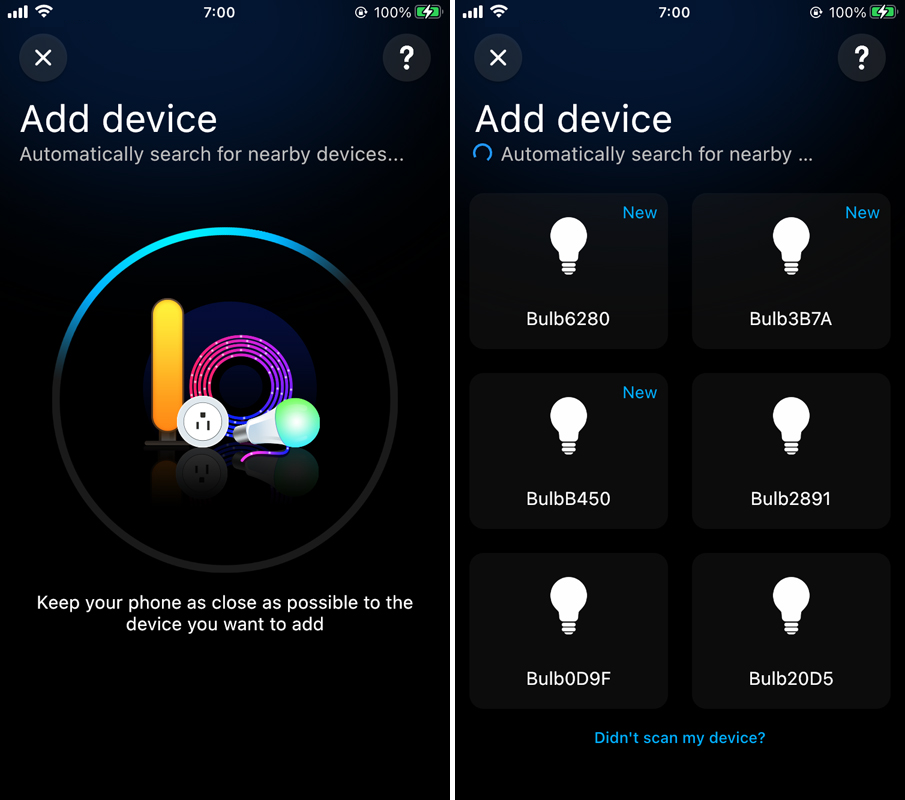
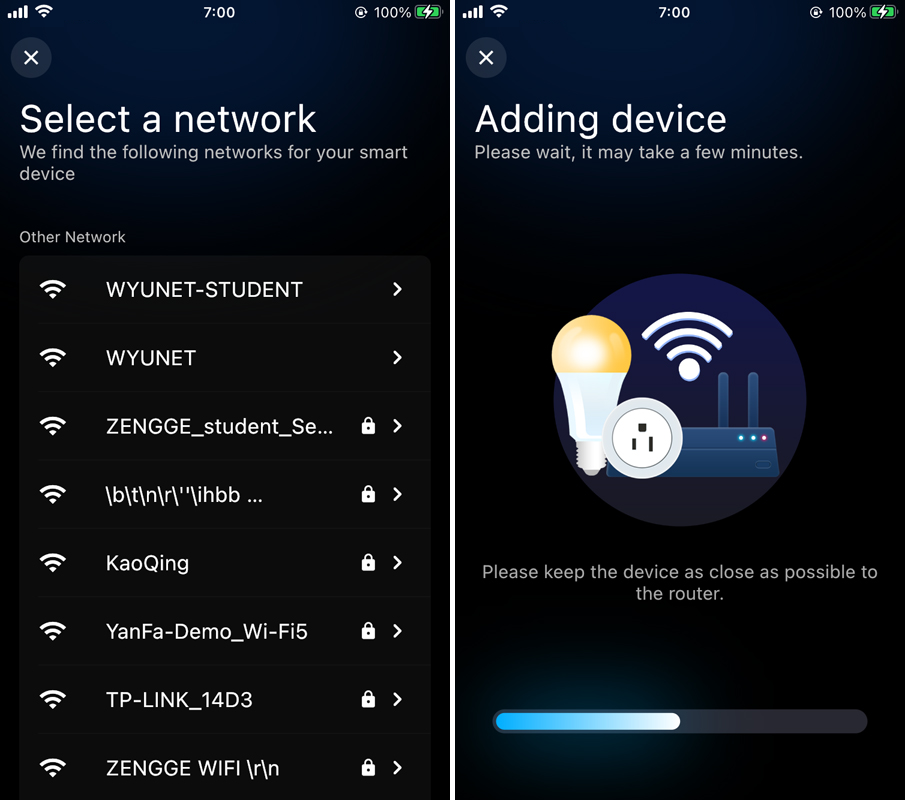
3. Click the device you want to add, select a network for your smart device and wait for the device to be added;
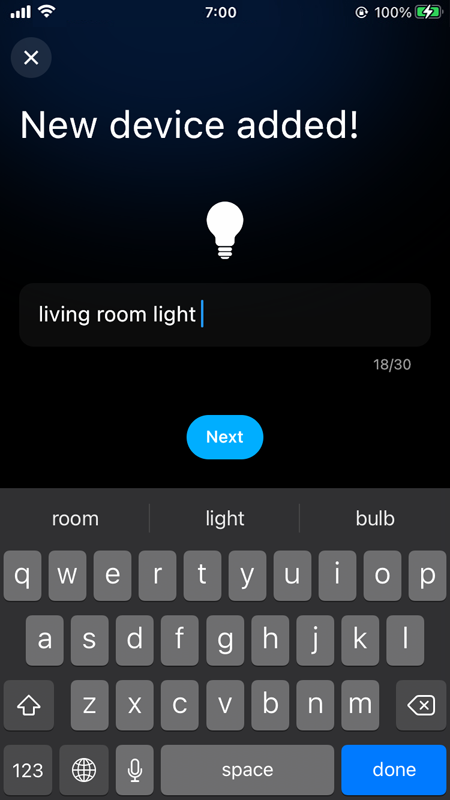
4. After adding the device, enter the name you like (the name cannot be empty, and the length cannot exceed 20 characters), and click "Next";
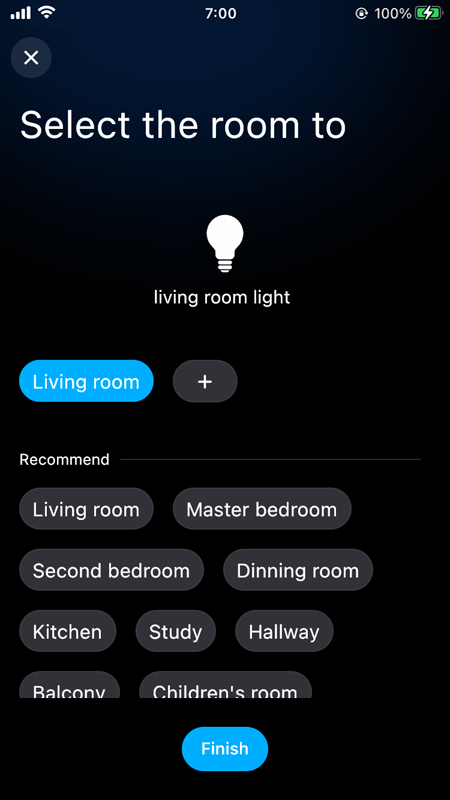
5. Select the room to which the device belongs, and click “Finish”;
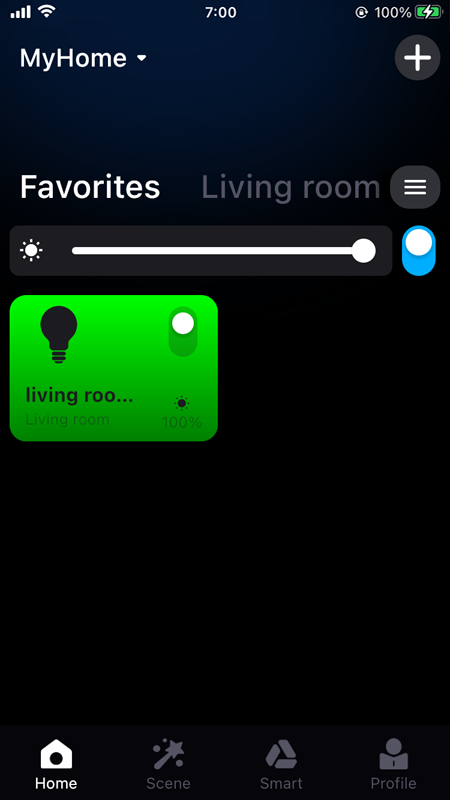
6. After the device is added, return to the main page of the APP to check whether the device is added successfully.