
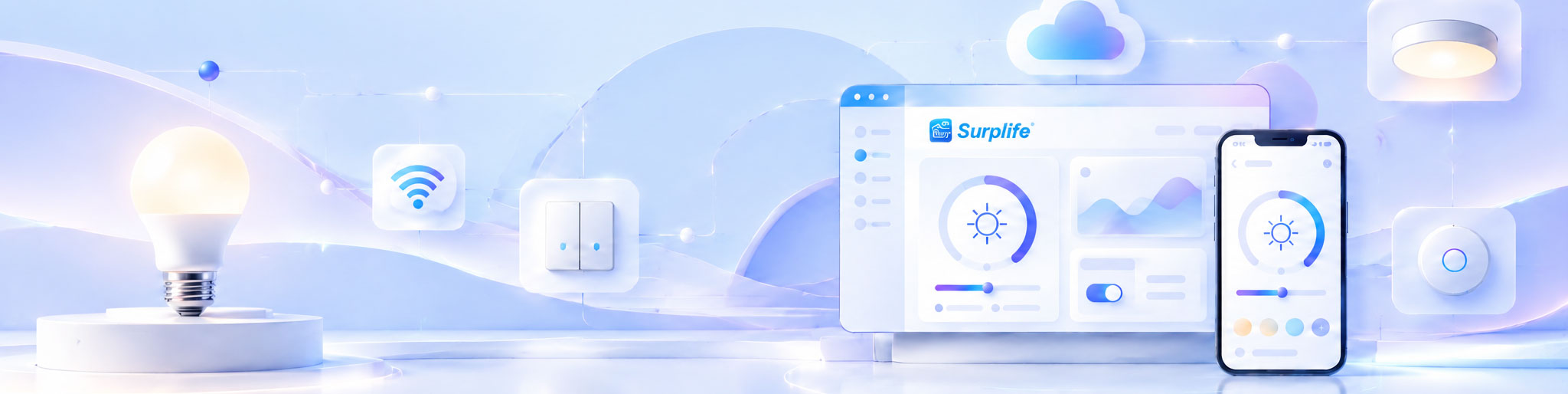
An LED light strip WiFi controller is a smart device that allows users to operate compatible LED strips through a wireless network and a smartphone application. Instead of relying only on physical switches or infrared remote controls, it provides convenient access to brightness adjustment, color selection, lighting effects, and scheduled operation. Some models also support voice control and integration with other smart home devices. Whether used for bedroom decoration, living room lighting, gaming setups, or outdoor decorative installations, a WiFi controller makes LED strip lighting easier to customize and manage.
An LED light strip WiFi controller is an electronic control unit that connects LED strip lights to a wireless network. It receives commands from a mobile application and converts them into signals that adjust the connected lights.
A typical system consists of several components:
WiFi Controller: Receives wireless commands and manages lighting functions.
LED Light Strip: Produces the required colors, brightness, and lighting effects.
Power Supply: Provides the voltage and current required by the LED strip.
Mobile Application: Allows users to adjust lighting settings and create customized scenes.
Wireless Network: Connects the controller to the application or compatible smart home platform.
Depending on the product, the controller may support single-color, RGB, RGBW, or addressable LED strips. Each type offers different lighting functions.
WiFi LED controllers vary according to the LED strip configuration and available control functions.
These controllers operate single-color LED strips and mainly provide brightness adjustment, switching, and scheduling functions.
They are suitable for under-cabinet lighting, bedroom decoration, and indirect ambient lighting where multiple colors are unnecessary.
RGB controllers manage red, green, and blue LED channels independently. By combining different brightness levels, they can produce a wide range of colors.
Users can select colors, adjust brightness, and activate effects such as fading, flashing, and color transitions.
RGBW controllers include an additional white LED channel. This allows users to switch between colorful Decorative Lighting and dedicated white illumination.
They are useful in living rooms, bedrooms, and entertainment spaces where both functional and decorative lighting are needed.
Addressable LED strips allow individual LEDs or groups of LEDs to display different colors and effects.
Compatible WiFi controllers can manage animated patterns, chasing effects, and flowing color sequences. These systems are particularly popular for gaming rooms and creative decorative installations.
The working process involves wireless communication between the mobile application and the controller.
First, the controller connects to a compatible WiFi network. The user then pairs the controller with its corresponding mobile application.
When a lighting command is selected, the application sends the instruction through the network. The controller receives the command and adjusts the LED strip accordingly.
For example, when a user selects a blue lighting scene, the controller changes the output of the relevant LED channels to produce the requested color.
Some Smart Lighting systems also support Bluetooth communication. This can provide a direct local connection during initial setup or when WiFi is unavailable, depending on the product.
Remote Lighting Control: Users can switch lights on or off and adjust settings through a compatible smartphone application.
Brightness Adjustment: Light output can be increased or reduced to suit different activities and environments.
Color Customization: RGB and RGBW controllers allow users to select different colors and create personalized lighting scenes.
Music Synchronization: Some controllers use microphone input or audio signals to synchronize lighting effects with music.
Timer and Scheduling: Users can configure automatic switching according to daily routines.
Voice Control: Compatible systems can connect with supported voice assistants to provide hands-free operation.
Scene Customization: Different lighting settings can be saved for reading, relaxing, watching movies, or entertaining guests.
Not every controller supports all these functions. Available features depend on the hardware, application, and connected LED strip.
Both technologies allow wireless lighting control, but their connection methods and remote access capabilities are different.
| Comparison | WiFi Controller | Bluetooth Controller |
|---|---|---|
| Connection | Wireless network | Direct device connection |
| Remote Access | Available with supported network or cloud functions | Usually limited by Bluetooth range |
| Internet Requirement | Depends on control functions | Generally not required |
| Smart Home Integration | Available on compatible models | Depends on product support |
| Initial Setup | Requires network configuration on some models | Usually direct pairing |
| Applications | Home automation and remote management | Local lighting control |
WiFi is useful when users want to manage lighting remotely or connect it with a broader smart home environment. Bluetooth is convenient for simple local control without configuring a wireless router.
Some products combine both technologies to provide more flexible connectivity.
Before selecting a controller, check the following specifications.
Confirm whether the strip is single-color, RGB, RGBW, or addressable. Different configurations require different controller outputs.
Common LED strip voltages include 5V, 12V, and 24V. The controller and power supply must match the strip's rated voltage.
Check the LED strip's total wattage and the controller's maximum output current. A controller should not be operated beyond its rated electrical capacity.
Many WiFi lighting controllers use 2.4GHz wireless networks. Check the product instructions before pairing, particularly when the router combines 2.4GHz and 5GHz networks.
Check whether the application supports color adjustment, scheduling, music synchronization, scene saving, and remote access.
For outdoor lighting, the controller and electrical connections need suitable environmental protection. An indoor controller should not be exposed to rain or excessive moisture.
The installation process is generally straightforward when the controller and LED strip are compatible.
Check the Specifications: Confirm the LED strip voltage, connector arrangement, and controller output requirements.
Connect the LED Strip: Match the positive and negative terminals and connect the color channels according to the wiring diagram.
Connect the Power Supply: Use a compatible power adapter with sufficient capacity.
Download the Application: Install the application specified in the controller instructions.
Pair the Controller: Follow the application prompts to connect the device to the WiFi network.
Test the Lighting: Check switching, brightness, colors, and available effects.
Always disconnect the power before changing wiring connections. Incorrect polarity or incompatible voltage may damage the controller or LED strip.
Controller Cannot Connect to WiFi: Check the network frequency, password, router signal, and application permissions.
LED Strip Does Not Light Up: Inspect the power adapter, connector polarity, and controller output.
Some Colors Do Not Work: Incorrect RGB wiring or incompatible LED configurations may cause missing or inaccurate colors.
Application Cannot Control the Lights Remotely: Check the internet connection, device pairing, and whether remote access is supported.
Lighting Effects Are Delayed: Weak wireless signals, network congestion, or controller processing limitations may affect response speed.
Controller Disconnects Frequently: Poor signal coverage, unstable power, and wireless interference can interrupt communication.
Some controllers support local network or Bluetooth control without internet access. However, remote access and cloud-based functions generally require an internet connection.
Some models support multiple compatible strips or lighting zones, provided their voltage, output capacity, and connection requirements are satisfied.
Yes. Compatible controllers may support voice control through supported smart home platforms. Compatibility should be confirmed before setup.
Yes. A connected controller may continue consuming a small amount of standby power while maintaining its wireless connection.
Yes. RGB and addressable LED controllers can support automatic color transitions, dynamic patterns, and scheduled lighting effects.
Keep the controller in a dry, well-ventilated location and avoid exposing it to excessive heat or moisture. Periodically inspect connectors and cables for loose connections or visible damage.
Keep the mobile application and controller firmware updated according to the manufacturer's instructions. Before installing firmware updates, ensure the controller has a stable power supply and network connection.
A properly matched controller, LED strip, and power supply are essential for reliable operation. When these components work together, WiFi control provides a convenient way to create personalized lighting scenes and manage everyday LED strip lighting.
Previous: Bluetooth Controlled LED Lights
Next: DMX LED Tape Controller