Please follow the steps below to cancel your account:
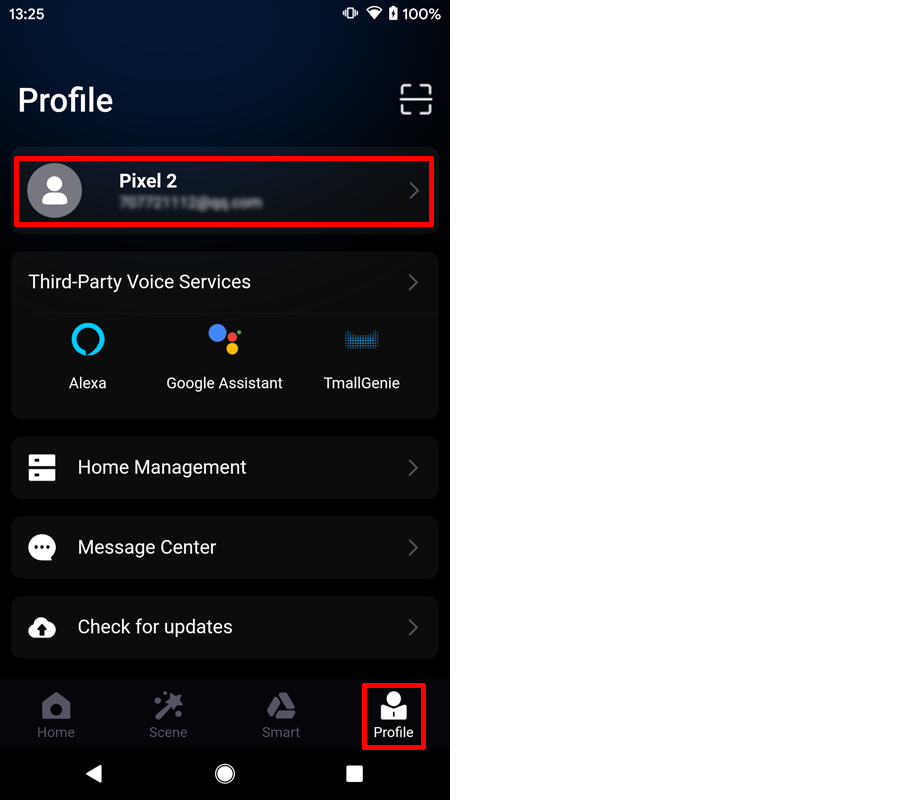
1. Enter the App "Profile", Click the user avatar at the top of the page to enter the "Account and Security" page;
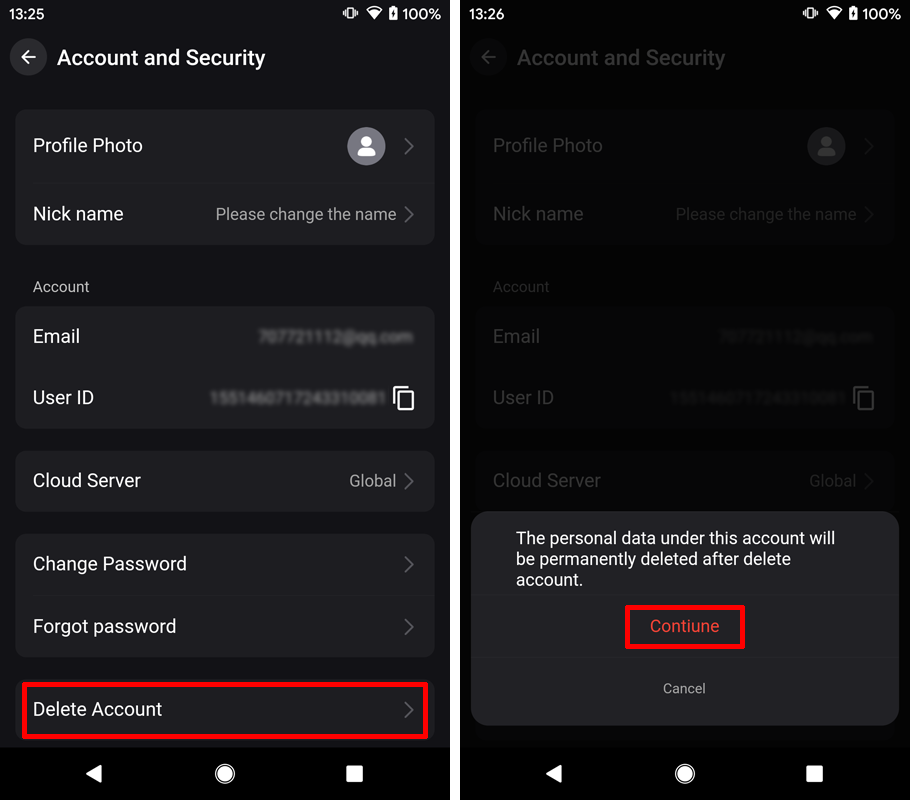
2. Click the "Delete Account" option, and then click "Continue" in the pop-up prompt to delete the account to Get Verification Code.
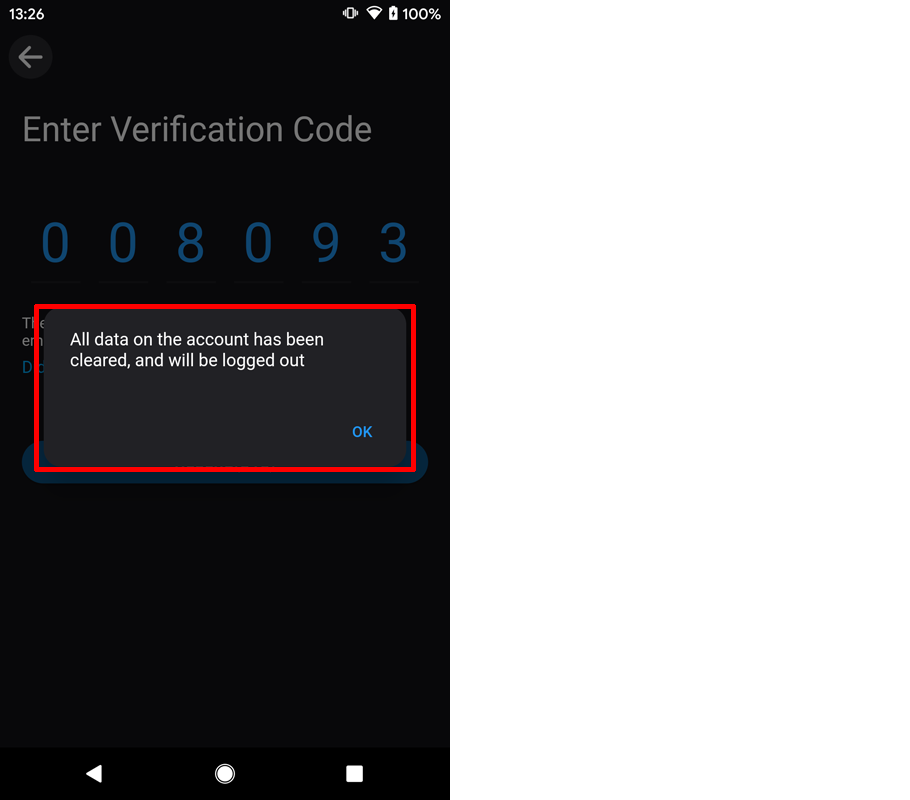
3. Enter the correct verification code that has been received by the mailbox. After successful logout, the account will be automatically logged out and the app will be redirected to the startup page.