
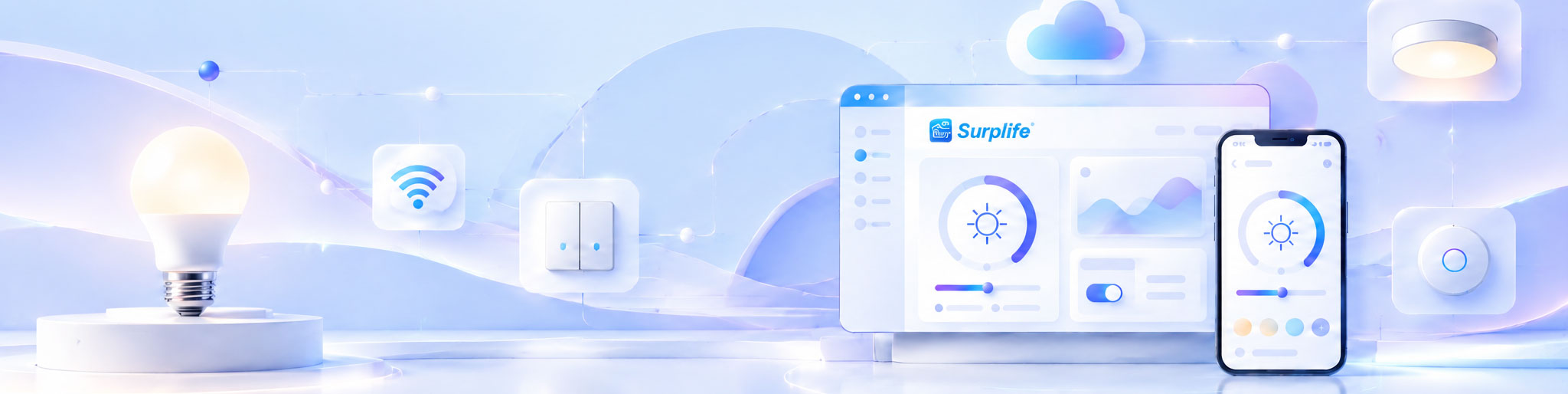
Lighting automation improves efficiency by coordinating when, where, and how lighting operates according to occupancy, daylight availability, scheduled activities, and user requirements. Instead of relying on manual switching or fixed operating patterns, an automated system uses sensors, controllers, and predefined rules to adjust lighting conditions automatically. This reduces unnecessary operation, simplifies daily management, and makes lighting performance more consistent. For commercial facilities, the greatest benefit comes from connecting individual lighting controls into a coordinated system that responds to actual building activity.
Manual lighting depends heavily on people remembering to switch lights on or off and adjust brightness when conditions change. This creates operational gaps, particularly in buildings with multiple rooms, departments, or operating schedules.
For example, an office may have several meeting rooms that are only occupied intermittently. Without automation, lights may remain on between meetings even when nobody is using the space.
An automated system can detect occupancy and manage lighting according to predefined conditions. When a room becomes vacant, lighting can be reduced or switched off after an appropriate delay. When someone enters, the system restores the required illumination.
The difference is that manual control reacts to individual actions, while automation responds to changes in the operating environment.
This becomes increasingly valuable when lighting points are distributed across large commercial spaces.
An automated lighting installation follows a continuous cycle of environmental detection, decision-making, and equipment response.
Sensors collect information about occupancy, movement, ambient brightness, or other configured conditions. Some systems also receive information from schedules, external control platforms, and user commands.
A controller evaluates the collected information against predefined rules. For example, it may determine that a room is occupied but already receives sufficient daylight, making full artificial illumination unnecessary.
The controller sends instructions to compatible lighting devices. Depending on the system, these instructions may switch lights on or off, adjust brightness, change color temperature, or activate a preset scene.
Connected devices can report their operating status to the management platform. This allows the system or authorized users to identify abnormal conditions and make further adjustments.
This automated lighting control process reduces the need for repeated manual intervention while keeping lighting operation aligned with actual requirements.
The benefits vary according to how a building is used. Different environments have different operating patterns, so automation should be configured around specific activities rather than applying identical rules everywhere.
Office lighting requirements change throughout the working day. Meeting rooms, corridors, workstations, and common areas rarely have identical occupancy patterns.
Occupancy sensors can manage individual rooms, while daylight-responsive controls adjust artificial illumination near windows. Scheduled operation can also establish general working-hour settings.
The result is a more coordinated lighting environment with fewer unnecessary operating hours.
Retail lighting often needs to change according to business hours, product displays, and promotional activities.
Automated scenes allow store operators to establish different lighting settings for opening hours, normal business operations, and closing periods.
For retail chains, centralized configuration can also help maintain consistent lighting standards across multiple branches while allowing local adjustments.
Hotels contain guest rooms, corridors, restaurants, reception areas, and service spaces, each with different lighting requirements.
Automation can connect occupancy detection, preset scenes, and scheduled operation to simplify daily management.
For example, service areas can follow operational schedules, while public areas can use different lighting scenes according to their intended use.
Large warehouses may contain storage aisles and working areas with significantly different activity levels.
Dividing lighting into functional zones allows selected areas to operate according to occupancy rather than maintaining the entire facility at maximum output.
This is particularly useful where workers access certain areas intermittently.
Yes. Energy consumption is only one part of overall operational efficiency.
A properly configured system can also improve the way people manage lighting equipment, respond to maintenance requirements, and coordinate activities across different spaces.
Three additional improvements deserve attention.
Reduced Manual Workload
Employees no longer need to repeatedly adjust every lighting zone. Automated schedules, scenes, and sensor-based controls handle routine operations.
More Consistent Operating Conditions
Predefined lighting settings help maintain consistent illumination across rooms or locations. This is particularly valuable for businesses with standardized operating requirements.
Improved Maintenance Visibility
Connected controllers can provide device status information through a management platform. Maintenance personnel can identify communication problems or offline devices without relying exclusively on manual inspections.
These benefits are particularly relevant to commercial installations where lighting management involves many devices and multiple responsible personnel.
These concepts are related but solve different operational problems.
Lighting automation determines how devices respond to predefined conditions. Centralized management determines how users organize, monitor, and control those devices across an installation.
For example, an occupancy sensor may automatically switch off lights in an empty meeting room. That is automation.
When a facility manager uses one platform to review lighting settings across 20 meeting rooms, that is centralized management.
A complete Lighting Automation System can combine both capabilities.
For larger projects, the management platform may also support different user permissions, location-based device grouping, remote configuration, and operational data monitoring.
This distinction is important during system planning. A project may need sophisticated automation at individual lighting points without requiring a complex centralized platform. Other installations may need both.
Installing automation hardware does not guarantee that a project will achieve its expected results. Performance depends on how well the control strategy matches the building environment.
The following factors should be evaluated before implementation:
Occupancy Patterns: Irregularly used spaces generally offer different automation opportunities from continuously occupied areas.
Sensor Accuracy: Incorrect detection coverage or sensitivity can cause unnecessary activation or premature switching.
Lighting Equipment: Controllers must support the required dimming, switching, and output functions.
Control Settings: Timeout periods, brightness thresholds, and schedules need to reflect actual operating requirements.
Communication Reliability: Connected devices should maintain stable communication with controllers and management platforms.
User Behavior: Manual overrides and changes in operating schedules should be considered during system configuration.
One practical recommendation is to avoid introducing automation rules that are more complicated than the application requires. Excessive control conditions can make the system difficult to commission and maintain.
Efficiency should be evaluated through operating results rather than the number of connected devices or automated functions installed.
Before implementation, establish a baseline using existing lighting power, daily operating hours, and electricity consumption. After installation, compare the results under similar operating conditions.
For a commercial building, several indicators can provide useful evidence:
| Performance Indicator | What It Reveals |
|---|---|
| Lighting Energy Consumption | Changes in electricity used by lighting |
| Operating Hours | Reduction in unnecessary lighting operation |
| Average Brightness Levels | Whether output matches actual requirements |
| Manual Override Frequency | Whether automation settings suit users |
| Device Availability | Reliability of connected equipment |
| Maintenance Response Time | Efficiency of fault identification and handling |
For meaningful comparisons, seasonal changes, occupancy levels, and business operating hours should also be considered.
If energy consumption decreases but employees frequently override the system, the automation rules may need adjustment. Similarly, lower operating hours should not come at the expense of required illumination or workplace safety.
A successful implementation starts with a clear understanding of the site's operating requirements.
First, identify which areas experience unnecessary lighting operation or require frequent manual adjustments. Next, determine whether occupancy sensors, daylight sensors, scheduled controls, or centralized management can address those problems.
The proposed system should then be tested in a representative area before wider deployment.
A lighting automation solution provider should be able to explain the relationship between sensors, controllers, communication technologies, software platforms, and connected lighting products.
Buyers should also verify whether the system supports local operation during network interruptions, future device expansion, firmware maintenance, and integration with existing equipment.
For OEM and customized lighting products, hardware and software compatibility should be confirmed before production approval.
Lighting requirements change as buildings expand, work schedules evolve, and operational processes become more complex. A fixed control configuration may eventually become unsuitable even if it performed well during the initial installation.
A flexible automated system should allow users to adjust schedules, modify control rules, add compatible devices, and reorganize lighting zones without rebuilding the entire architecture.
Regular performance reviews are equally important. Sensor settings, automation schedules, and lighting scenes should be updated when actual usage patterns change.
Ultimately, lighting automation improves efficiency when it reduces unnecessary operations while maintaining the lighting conditions required by people and business activities. The strongest results come from combining appropriate equipment, practical control logic, reliable communication, and continuous performance evaluation.
Rather than automating every possible function, businesses should prioritize the operating problems that consume the most resources or create the greatest management burden. This produces a more practical, cost-effective, and sustainable lighting control environment.