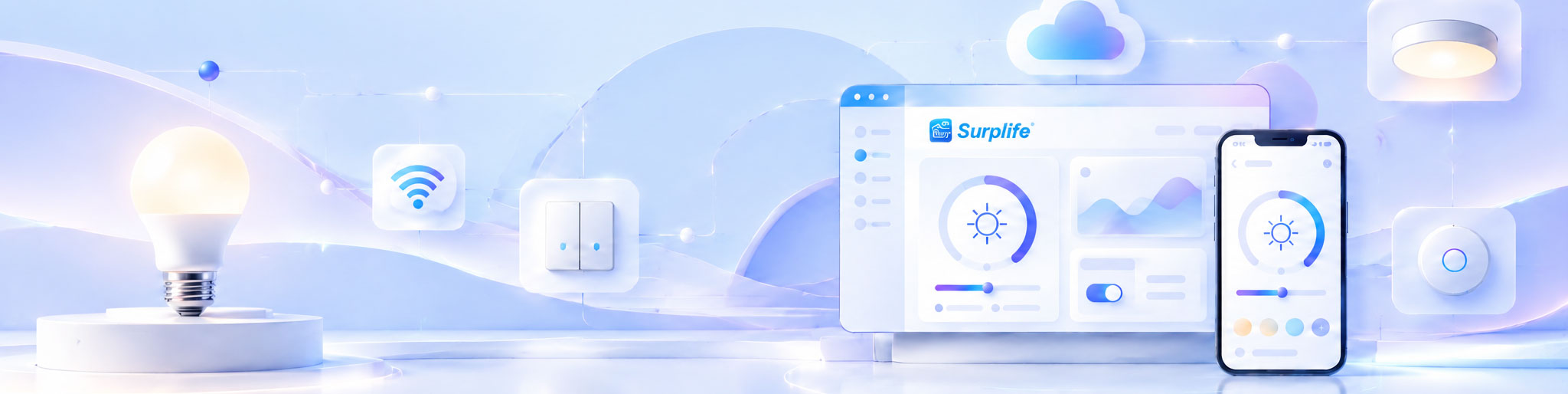
Integrating a mobile app with Smart Lighting hardware requires coordinated development of the communication interface, device firmware, control logic, and user interface. The app must send commands that the hardware can interpret correctly, while receiving accurate feedback about device status. Successful integration depends on defining these interactions before development begins, validating communication under different operating conditions, and ensuring that software updates do not disrupt existing device functions.
The connection between an app and a lighting device involves several technical layers. The mobile application provides the user interface, the communication module transfers commands, and the firmware processes those commands to control the lighting hardware.
Depending on the product architecture, communication may use Bluetooth, Wi-Fi, or another supported wireless technology. Each option has different implications for connection range, network requirements, power consumption, and remote access.
For example, a Bluetooth-controlled LED product may communicate directly with a nearby smartphone, while a Wi-Fi lighting product can connect through a local network and potentially support remote management through cloud services.
The important consideration is that communication technology, firmware capabilities, and app functions must be designed as one system. Selecting a wireless module without confirming its compatibility with the intended control functions can create expensive integration problems later.
Before writing application code, the development team should establish a clear relationship between every app function and the corresponding hardware response.
Consider a smart RGB lighting product. The application may provide color selection, brightness adjustment, dynamic effects, and scheduling. Each function requires specific processing capabilities within the controller and firmware.
A function mapping document helps prevent situations where the application displays controls that the physical device cannot support.
For instance, brightness adjustment requires the controller to regulate LED output, while dynamic lighting effects may require firmware capable of processing changing color values and timing instructions.
The same principle applies to device grouping. If several lights must operate together, the system needs a defined method for distributing commands and maintaining consistent behavior across devices.
Smart lighting app hardware integration should follow a controlled sequence rather than developing the application and hardware independently and attempting to connect them at the end.
1. Define the communication architecture
Determine how the app discovers devices, establishes connections, sends commands, and receives device information. Confirm whether communication is local, network-based, or cloud-assisted.
2. Establish command specifications
Define the commands supported by the hardware, including power control, brightness, color adjustment, scene selection, and device configuration. Specify the expected input format and response behavior.
3. Develop firmware interfaces
The firmware should translate incoming commands into hardware operations and return relevant device status. Error handling and unsupported commands should also be defined.
4. Connect the mobile application
Develop the app interface according to the confirmed communication and command specifications. Ensure that displayed device states reflect actual hardware responses.
5. Complete integrated testing
Test the complete system using actual lighting devices rather than relying exclusively on simulated hardware or software demonstrations.
This sequence reduces misunderstandings between development teams and makes technical problems easier to isolate.
Integration failures are not always caused by unstable wireless connections. In many projects, the underlying problem is inconsistent communication logic or differences between how the app and firmware interpret the same command.
Several situations deserve particular attention.
Incorrect device status: The app shows a light as switched on even though the hardware did not receive the command. This can happen when the interface updates optimistically without confirming the device response.
Inconsistent command handling: Different firmware versions interpret commands differently, causing the same app function to produce different results across product batches.
Connection recovery problems: A device disconnects temporarily but does not restore its previous operating state correctly after reconnecting.
Timing conflicts: Multiple commands arrive before the previous operation finishes, resulting in delayed responses or unexpected lighting behavior.
Incomplete compatibility testing: The app works on the development team's devices but behaves differently across other supported operating systems or smartphone models.
These issues should be addressed during integration rather than after products have entered mass production.
One of the most important design considerations is maintaining consistency between the application and the physical lighting device.
Sending a command does not necessarily mean that the requested action has been completed. The controller may be busy, disconnected, or unable to execute the requested function.
A reliable system should distinguish between a command being sent, a command being received, and an operation being successfully completed.
For example, when a user changes brightness, the app should update its displayed status based on the system's defined response mechanism. If the device fails to respond, the application should provide an appropriate indication rather than presenting an incorrect operating state.
This becomes especially important in systems containing multiple lights. Each device may have a different connection status, so the application should not assume that every unit has successfully executed a group command.
Testing should focus on complete operating scenarios rather than checking individual app buttons in isolation.
A useful test is to simulate the actual user experience from initial setup through daily operation. This includes discovering a device, pairing it, changing lighting settings, disconnecting, reconnecting, and restoring normal control.
The following scenarios are particularly relevant:
Command accuracy: Confirm that every supported app command produces the intended hardware response.
Connection recovery: Test behavior after temporary wireless interruptions and device restarts.
Multi-device operation: Verify that grouped lights respond consistently to shared commands.
Software compatibility: Check supported operating systems, app versions, and firmware combinations.
Security: Verify device authentication, communication protection, and appropriate access permissions.
Testing should also include boundary conditions, such as repeated commands, unsupported settings, and simultaneous operations. These scenarios often reveal problems that are not visible during basic demonstrations.
A well-designed integration architecture should accommodate additional lighting models and functions without requiring the entire application to be rebuilt.
For product manufacturers developing several smart lighting categories, a reusable communication framework can simplify future development. Different devices can share common functions such as pairing, brightness adjustment, and account management while maintaining their own specialized controls.
However, shared architecture does not mean every product should use identical firmware or interfaces. Hardware capabilities, supported commands, and device-specific requirements must remain clearly defined.
Version management is also essential. When firmware or app functions change, compatibility should be checked before updates are released to existing users. Maintaining documented interfaces and controlled software releases helps prevent new features from disrupting previously launched products.
A smart lighting integration supplier should be able to explain how hardware, firmware, application development, and ongoing technical support are coordinated.
Before approving a development proposal, confirm whether the supplier provides communication protocol documentation, firmware development, app customization, integration testing, and post-launch maintenance.
Ownership and access rights should also be discussed. These may include application source code, firmware, design files, cloud infrastructure, and third-party software licenses.
The supplier's ability to demonstrate an integrated working sample is particularly valuable. A polished application interface alone does not prove that the underlying hardware and software can operate reliably together.
Successful app integration is ultimately measured by the performance of the complete product, not by the number of functions displayed on a smartphone screen. When communication rules, firmware behavior, and user interactions are planned together, smart lighting products become easier to operate, maintain, and expand into new product categories.