

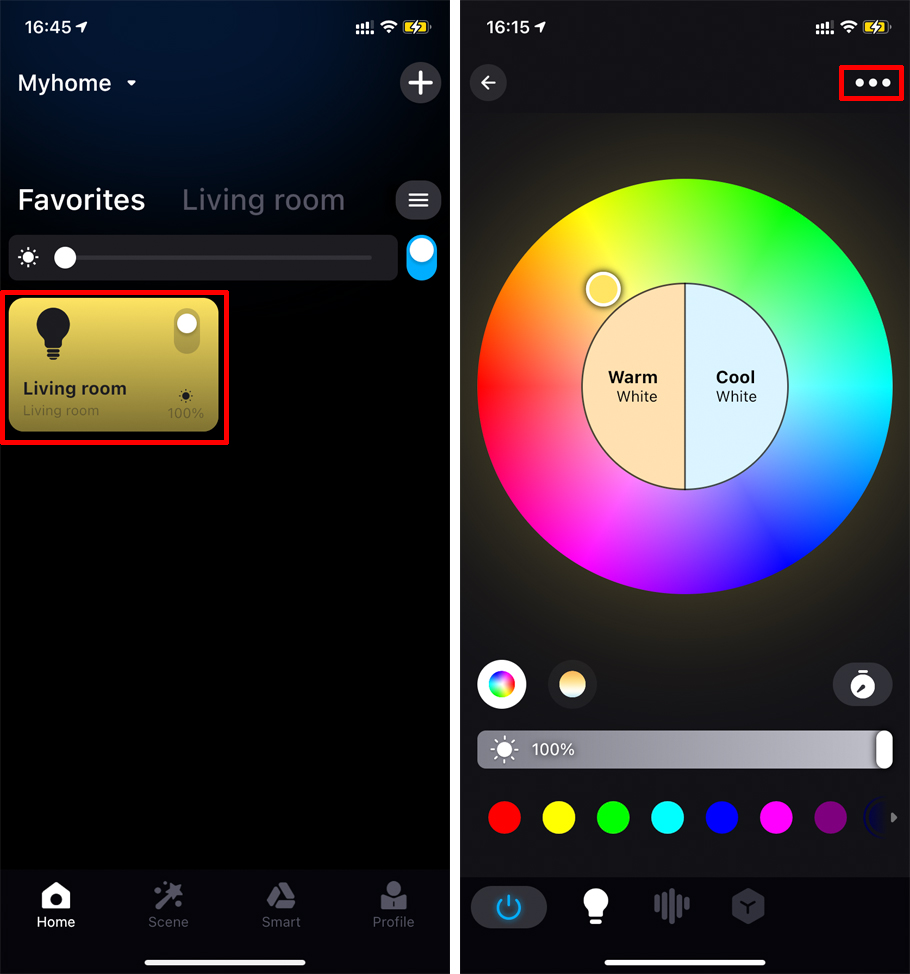
Click the corresponding device icon on the App homepage to enter the device control page, click the “…” icon on the upper right to enter “Device Information”, and check whether the network status bar shows that the cloud is online and the local is offline.
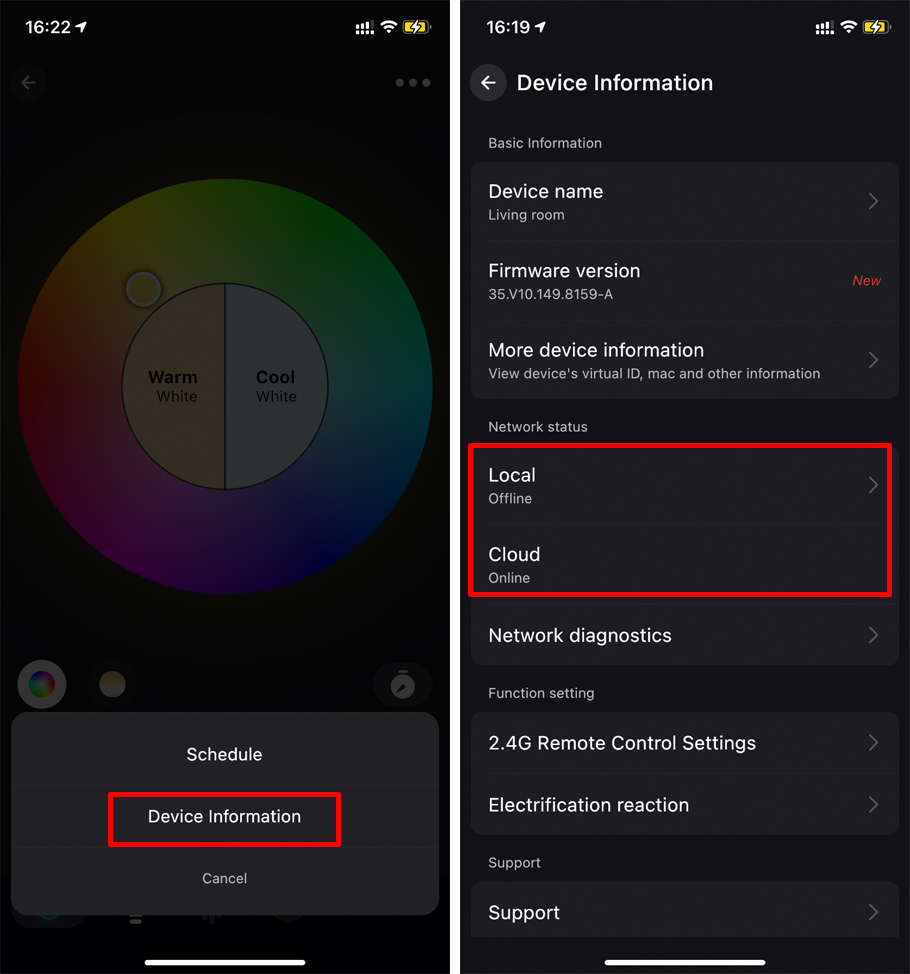
If the device is online remotely but offline locally. Please try the troubleshooting below:
1. Please check whether the distance between the router and the device is too far or whether there is something in the middle that caused abnormal signal;
2. Check if the phone and router are on the same network: Enter the WiFi interface of the phone, and check whether the Wi-Fi connection is consistent with the router connected by the device;
3. Check whether the phone has enabled proxy (VPN), it is recommended to turn off this function.
4. Try to restart the device (power off the device and then power on again), then pull down the main screen of App to refresh the list to check whether the problem is fixed.
5. Try to restart the phone Wi-Fi, and make sure the phone Wi-Fi is connected to same Wi-Fi network which the device is connected to, then check whether the problem is fixed.
6. Try to restart the router, after that, make sure the phone Wi-Fi is connected to same Wi-Fi network which the device is connected to, then check whether the problem is fixed.
7. Please try to replace other routers. If there are no other routers, please try to restore the factory Settings of the router;
Please contact us if all the solutions do not work.
