

Please refer to the following steps:
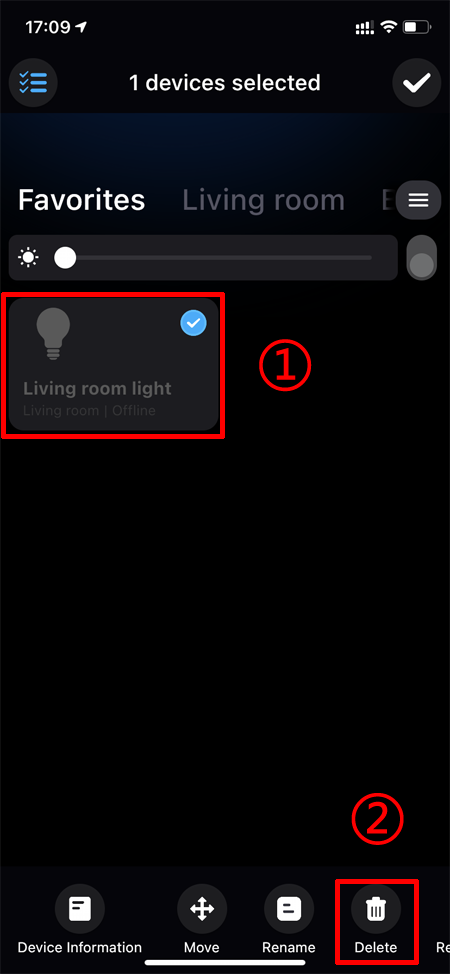
1. Long press the smart device and select "Delete" in the pop-up menu;
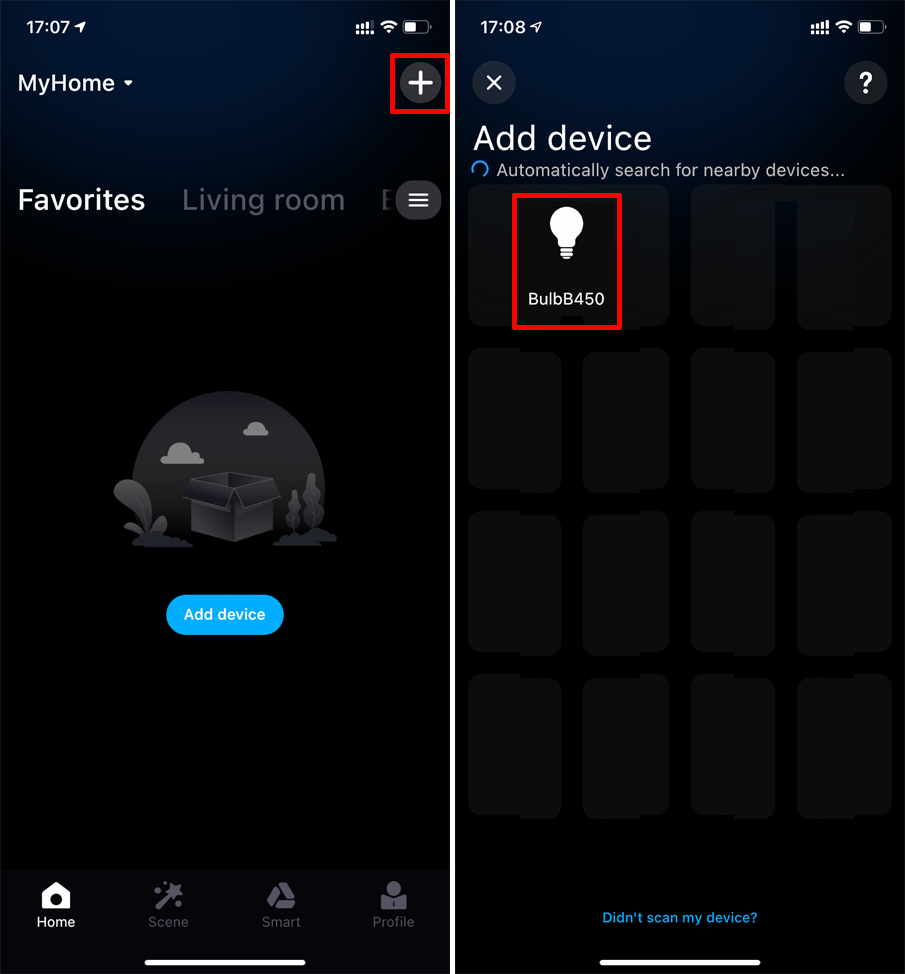
2. Click the "+" at the top right of the App home page to enter the "Add Device" page, the deleted smart device is displayed in the list, click it;
3. Enter the restart smart device page, follow the prompts, when the smart device is powered on again, click "Next", the light will flash 3 times to enter the network configuration mode;
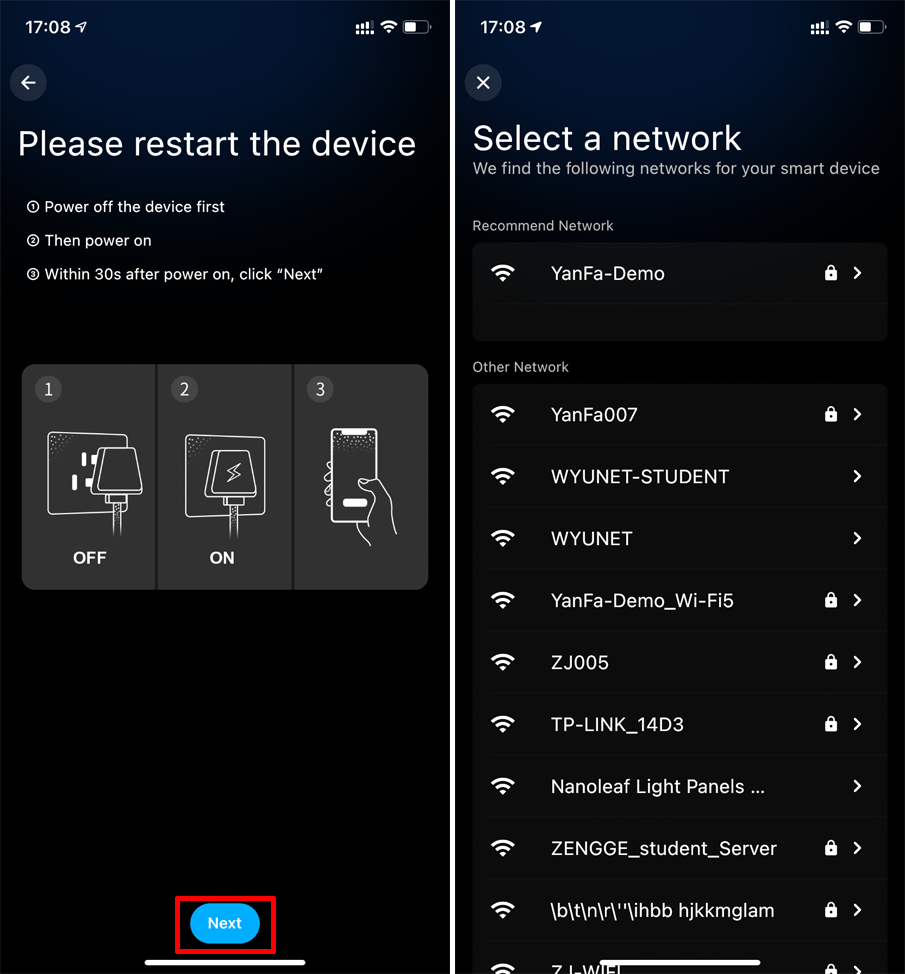
4. Follow the prompts to connect the smart device to the router;
5. If the above methods still cannot find the smart device, please refer to the following link to reset the smart device.
How do I reset the WiFi Smart Lighting?
