

Please try the following solutions:
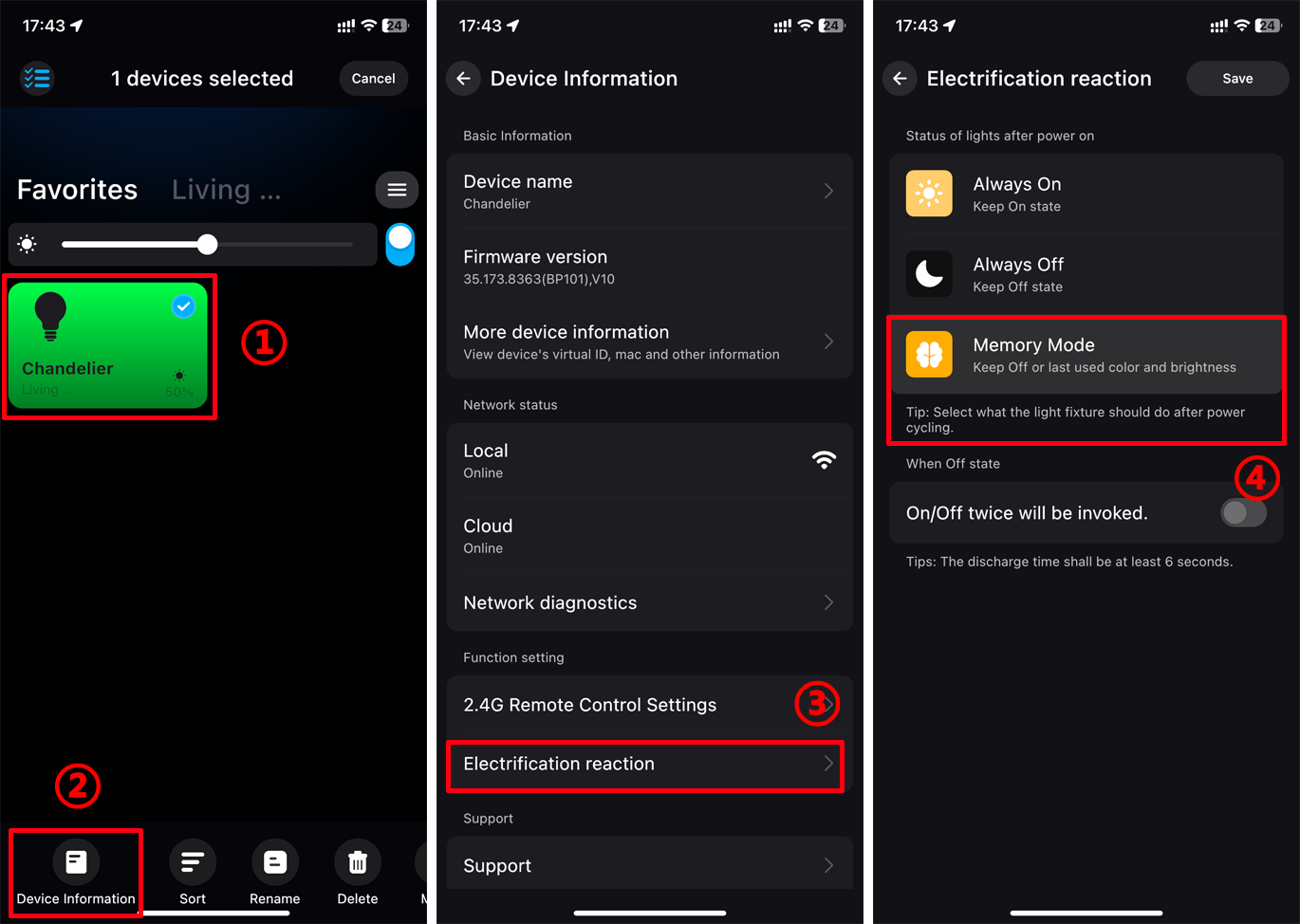
1. Set the "Electrification Reaction" of the light to "Memory state".
Procedure: Go to Device list -> Hold down Device -> Select "Device Info" -> Electrification Reaction -> Memory Status
Memory state: the light will remember the last status after a power outage, like colors, brightness.
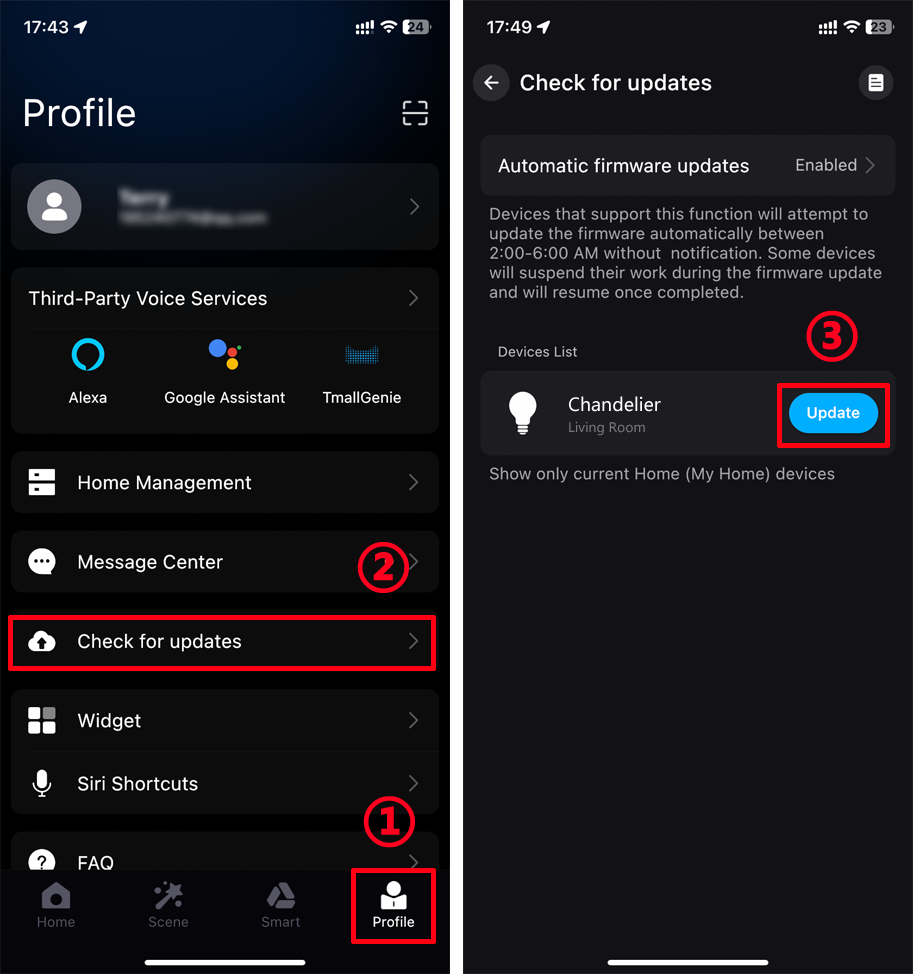
2. If the problem still cannot be solved, we advise to upgrade the firmware.
Procedure: Enter the App "Profile" -> Check for updates -> Update
3. If the above methods can’t solve your issue, open a support case in "Surplife" app under Settings (gear box) > Support.
